Autoposting to Instagram
Posts, carousels, Reels and Stories go live on their own at the day and time you choose, even when you’re offline. Stats are collected after publishing, and your bot replies to people who comment.

How it works
- 1
Create a post
A post, carousel, Reel or Story, from your computer or phone.
- 2
Choose a time
Right away or at the day and time you need, in your time zone.
- 3
It goes live on its own
Stats are collected for a whole week after publishing.
How to set up Instagram autoposting
In your dashboard:PostsNew post
-
1
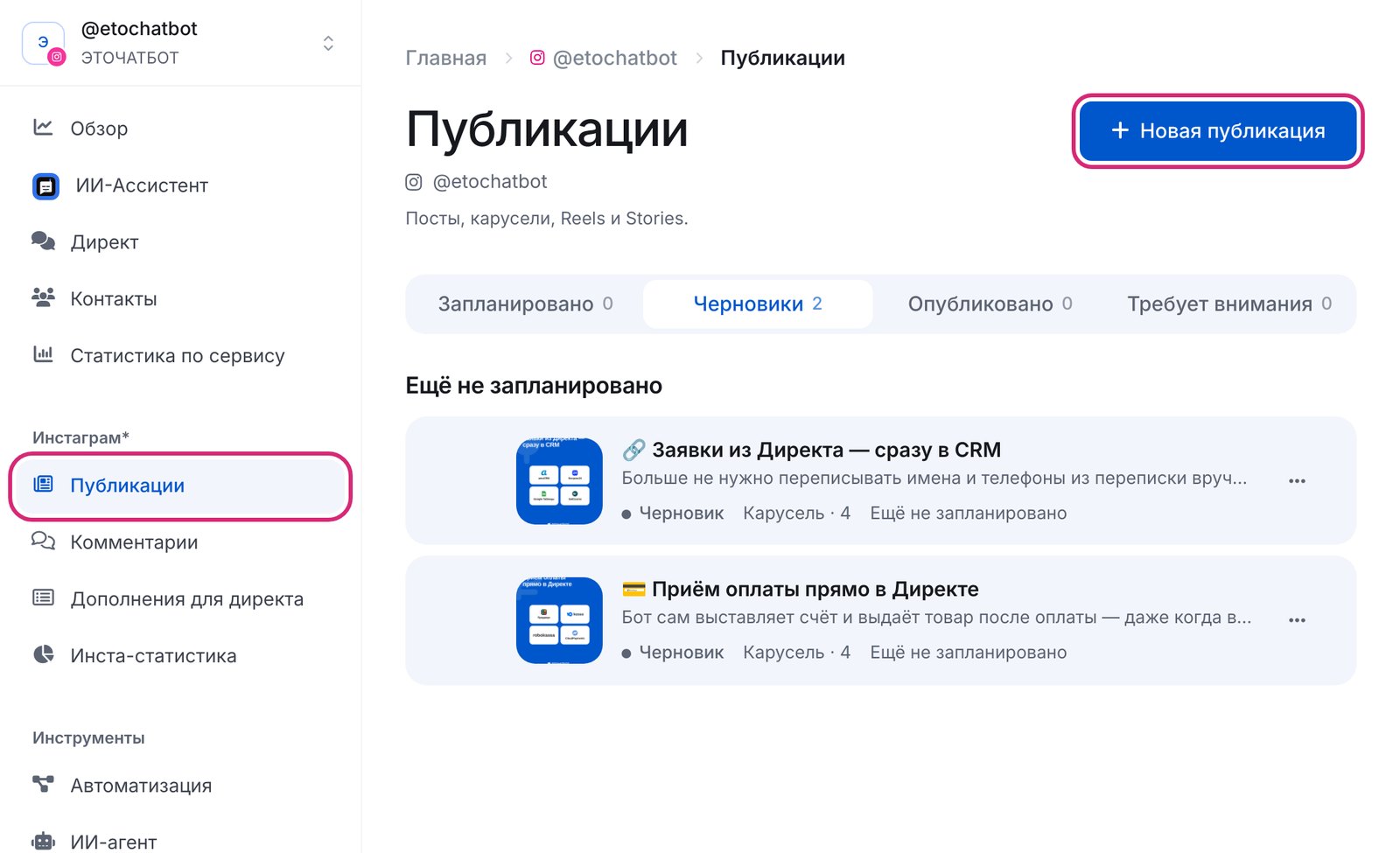
Open “Posts” → “New post”
“Posts” is in your bot’s menu, in the Instagram section. If you connected the account earlier, the dashboard will ask you to update the connection once so that Instagram allows publishing.
-
2
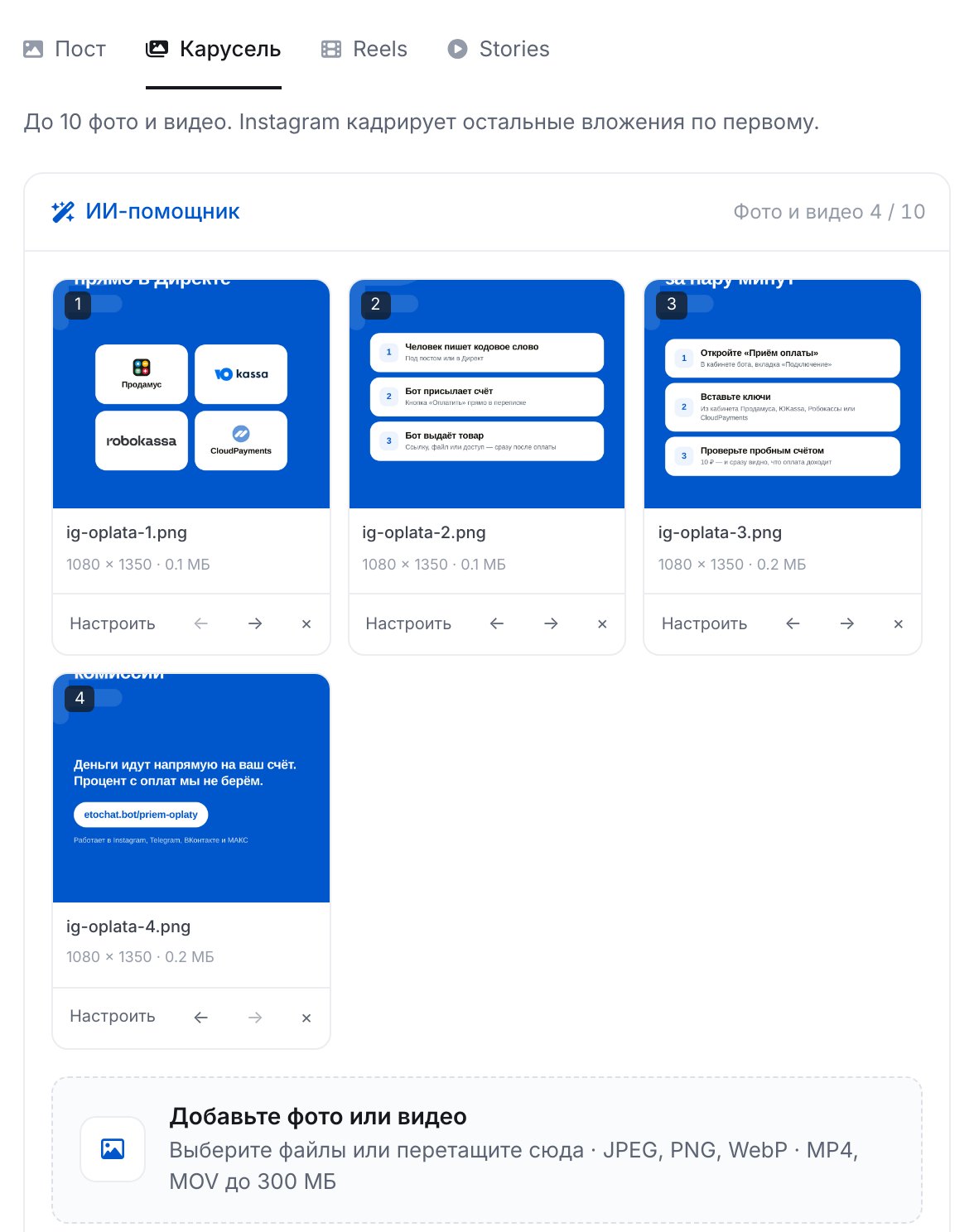
Choose a format and add files
A post is one photo, a carousel is 2 to 10 photos and videos, a Reel is a video from 3 seconds to 15 minutes, and a Story is a photo or a video of up to 60 seconds. File formats and sizes are checked in advance.
-
3
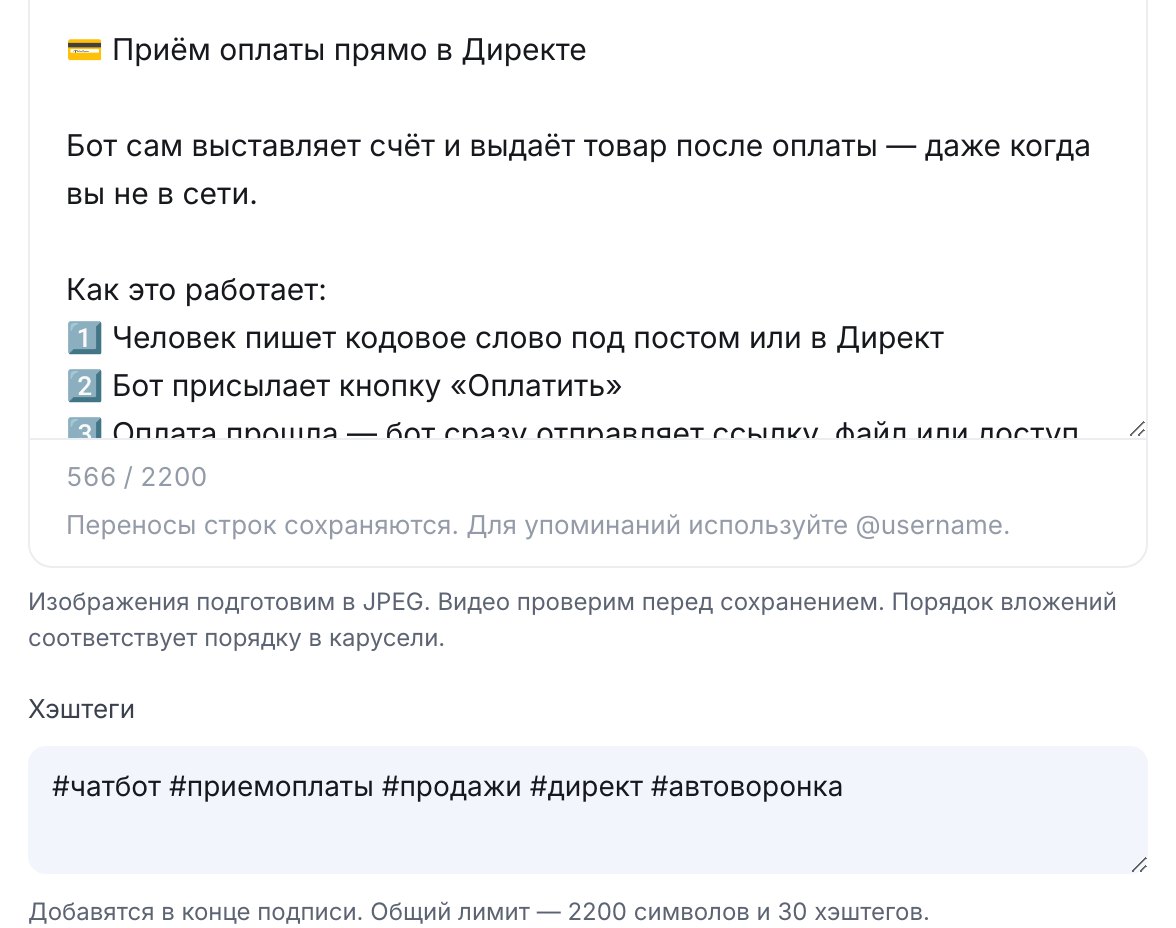
Write a caption
Up to 2200 characters and 30 hashtags. On Premium, AI writes a caption from your idea, shortens it or fixes mistakes.
-
4
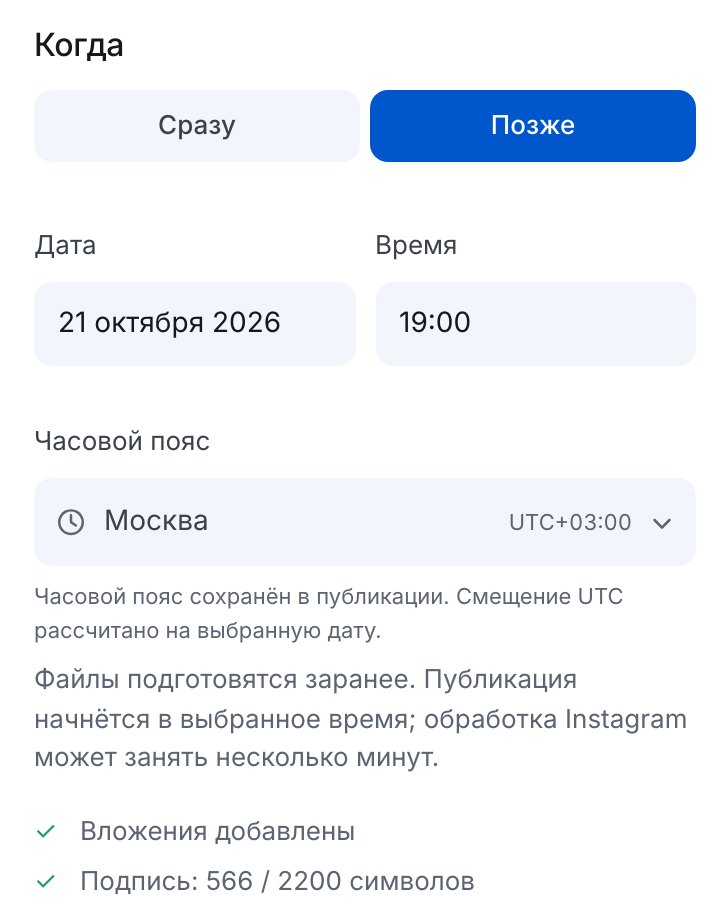
Choose a time
“Now” or “Later”: date, time and time zone. Files are prepared in advance, and publishing starts at the scheduled minute.
-
5
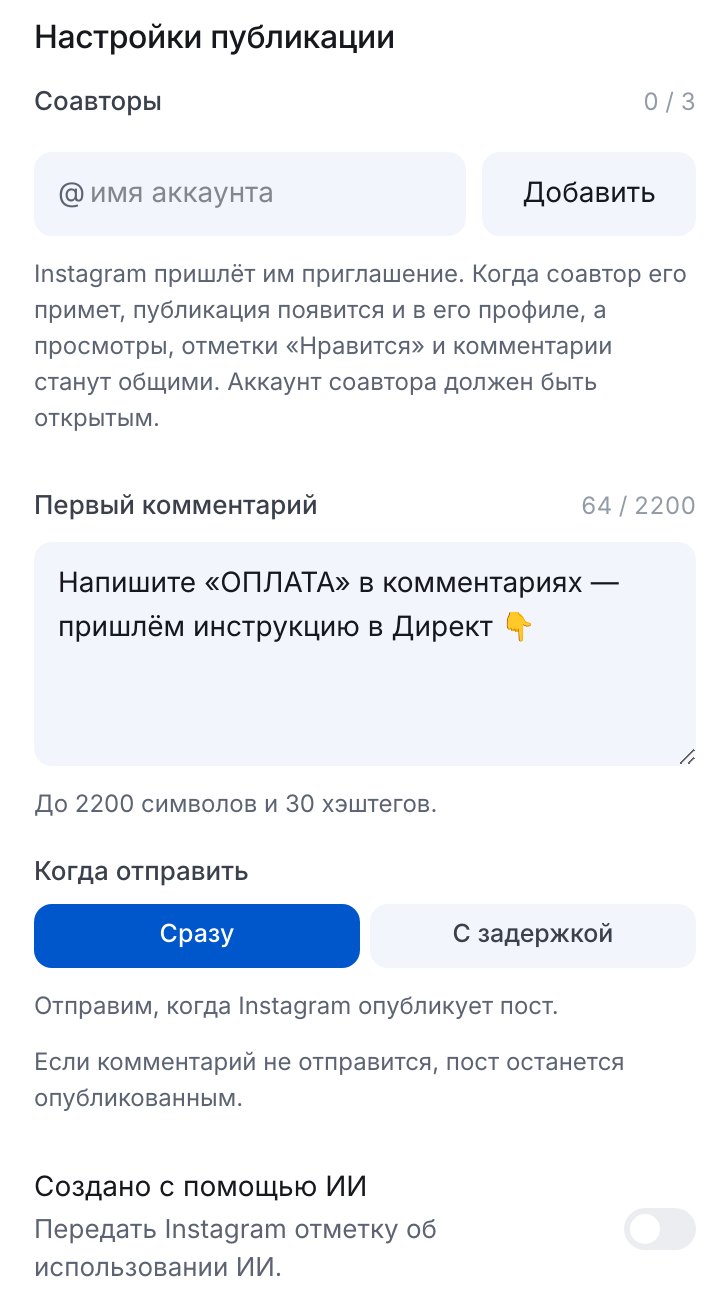
First comment and collaborators
The first comment is posted automatically, right after publishing or with a delay of up to 24 hours. Add up to three collaborators: the post will appear on their profiles too.
-
6
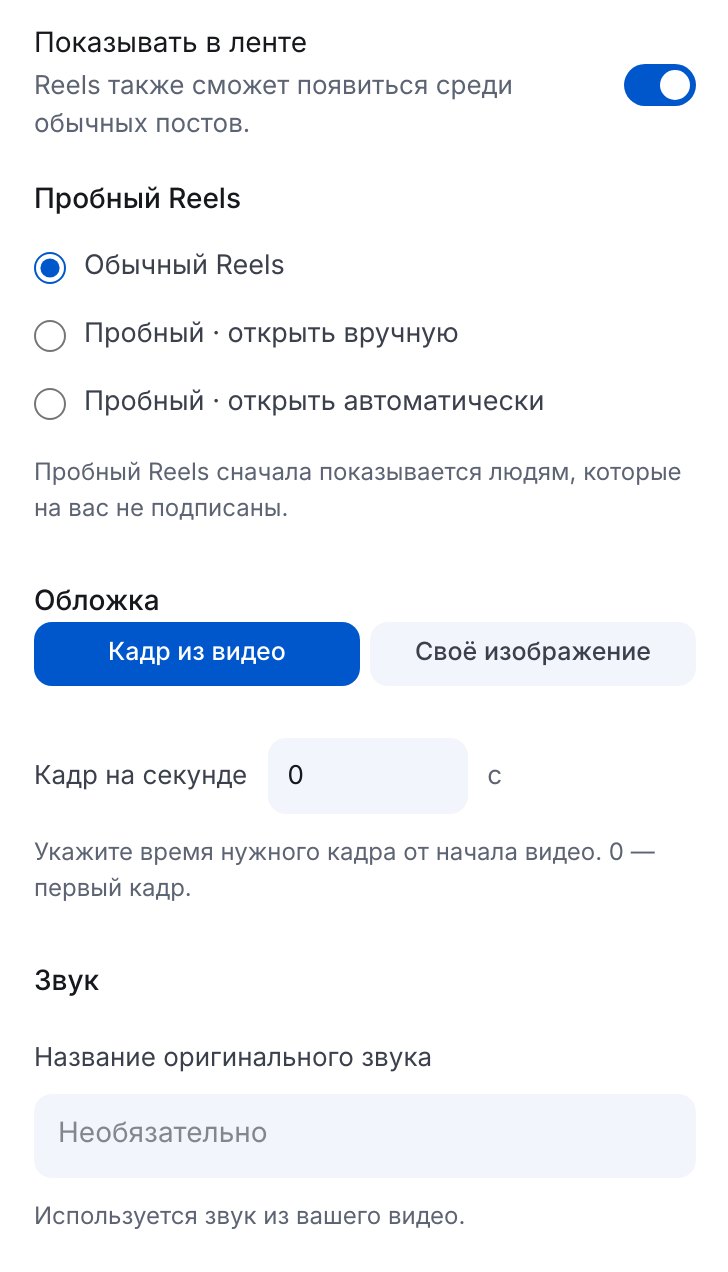
Reels: cover and trial mode
Use a frame from the video or your own image as the cover, name the original audio and choose whether to show the Reel in the feed. A trial Reel is shown to non-followers first.
-
7
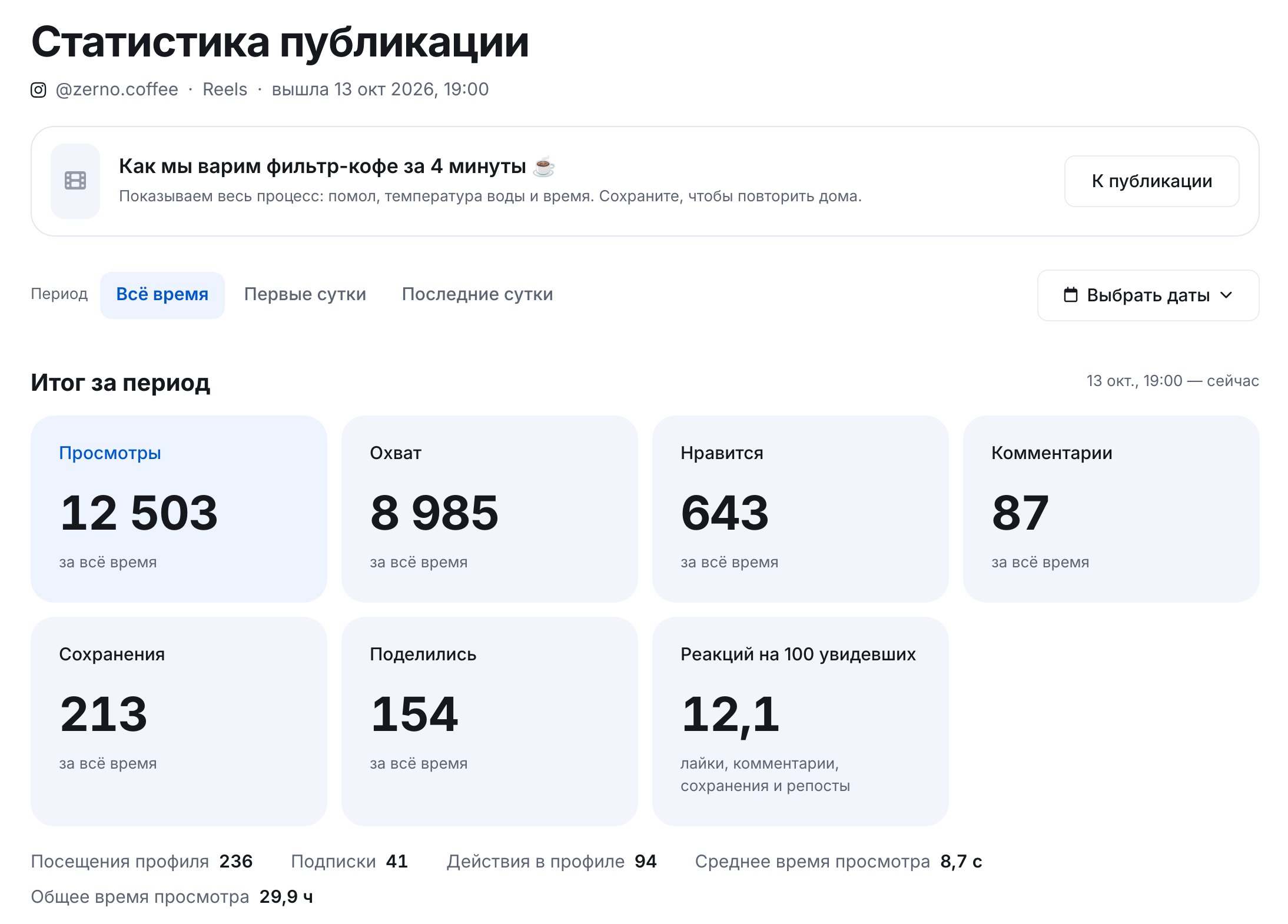
Check the stats
Reach, views, likes, comments, saves and shares: every 10 minutes for the first three hours, then less often, for a whole week. Stories, for the first 24 hours. The numbers in the screenshot are demo data.


FAQs
Can I schedule stories?
Do I need a Facebook Page?
Why use this instead of the in-app scheduler?
Can I edit a scheduled post?
How much is it?
More for your Instagram chatbot
Automatic posting in a few minutes