Connect your chatbot to a CRM or spreadsheet
The bot collects a customer’s request in chat and sends it to amoCRM, Bitrix24, Google Sheets or GetCourse—with their name, phone number and message. Nothing to copy manually.
 amoCRM
 Bitrix24
 Google Sheets
 GetCourse
How it works
- 1
A customer sends a request
On Telegram, Instagram or your website—triggered by a keyword or at any step in a flow.
- 2
The bot sends it on
A block from “CRM & spreadsheets” creates a deal, lead, spreadsheet row or school user.
- 3
Every send is logged
If the service doesn’t respond, the bot retries automatically. Every request appears in “Recent sends”.
Services
Connect one or several. Each has a setup guide with screenshots. For other systems, use the “Service request” block or our API.
amoCRM A deal with a contact in the right pipelineRepeat requests use the same contact—no duplicates
How to connect amoCRM
Bitrix24 A lead or deal with a contactFinds returning customers by phone or email
How to connect Bitrix24
Google Sheets Each request becomes a new rowUseful if you don’t have a CRM yet
How to connect Google Sheets
GetCourse Add a student to a group or create a product orderRequires the customer’s email—the bot asks for it in the flow
How to connect GetCourse
How to set up an integration
In your dashboard:Add-onsIntegrations
-
1
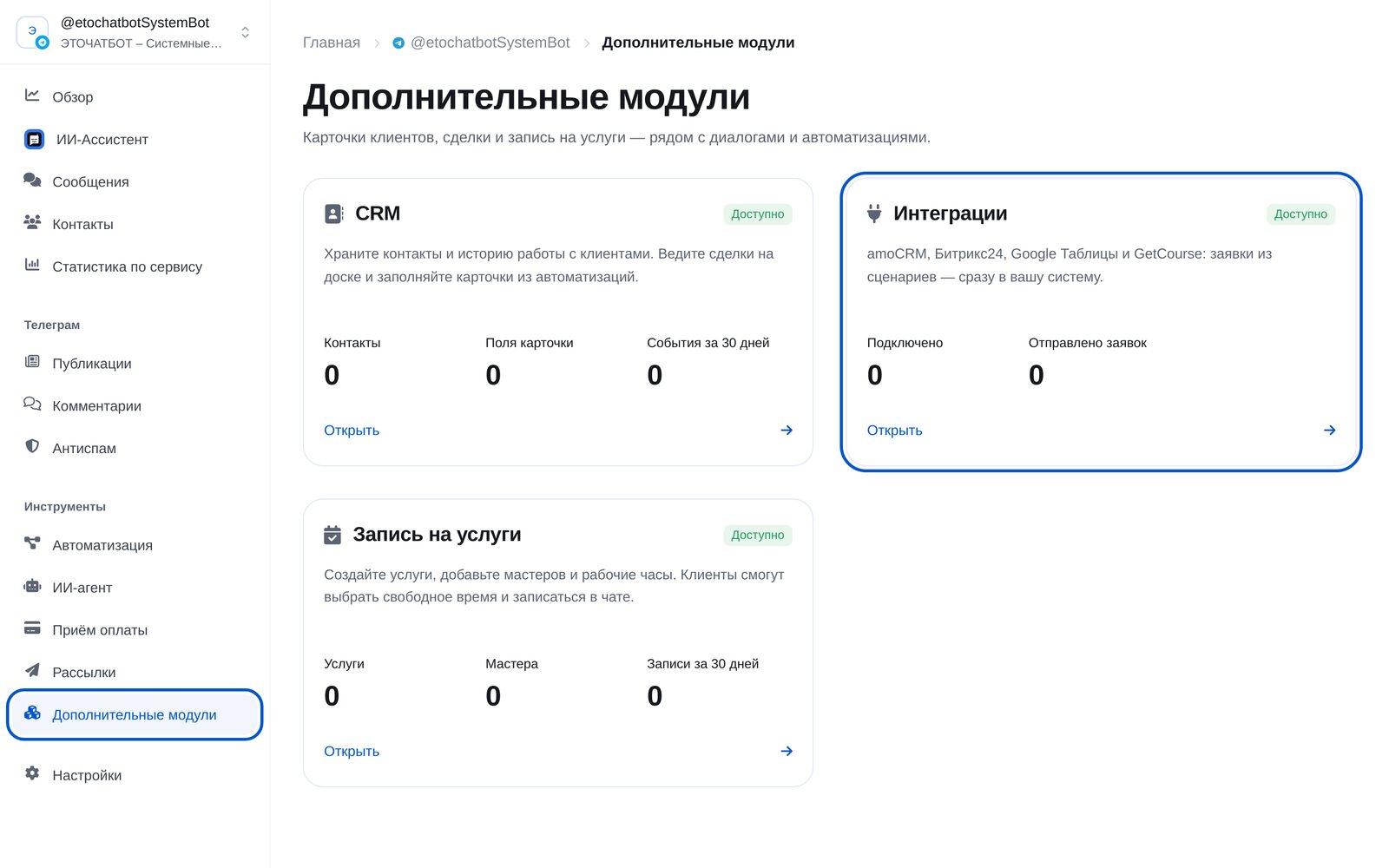
Open “Add-ons” → “Integrations”
In the bot menu, open “Add-ons” and choose the “Integrations” card.
-
2
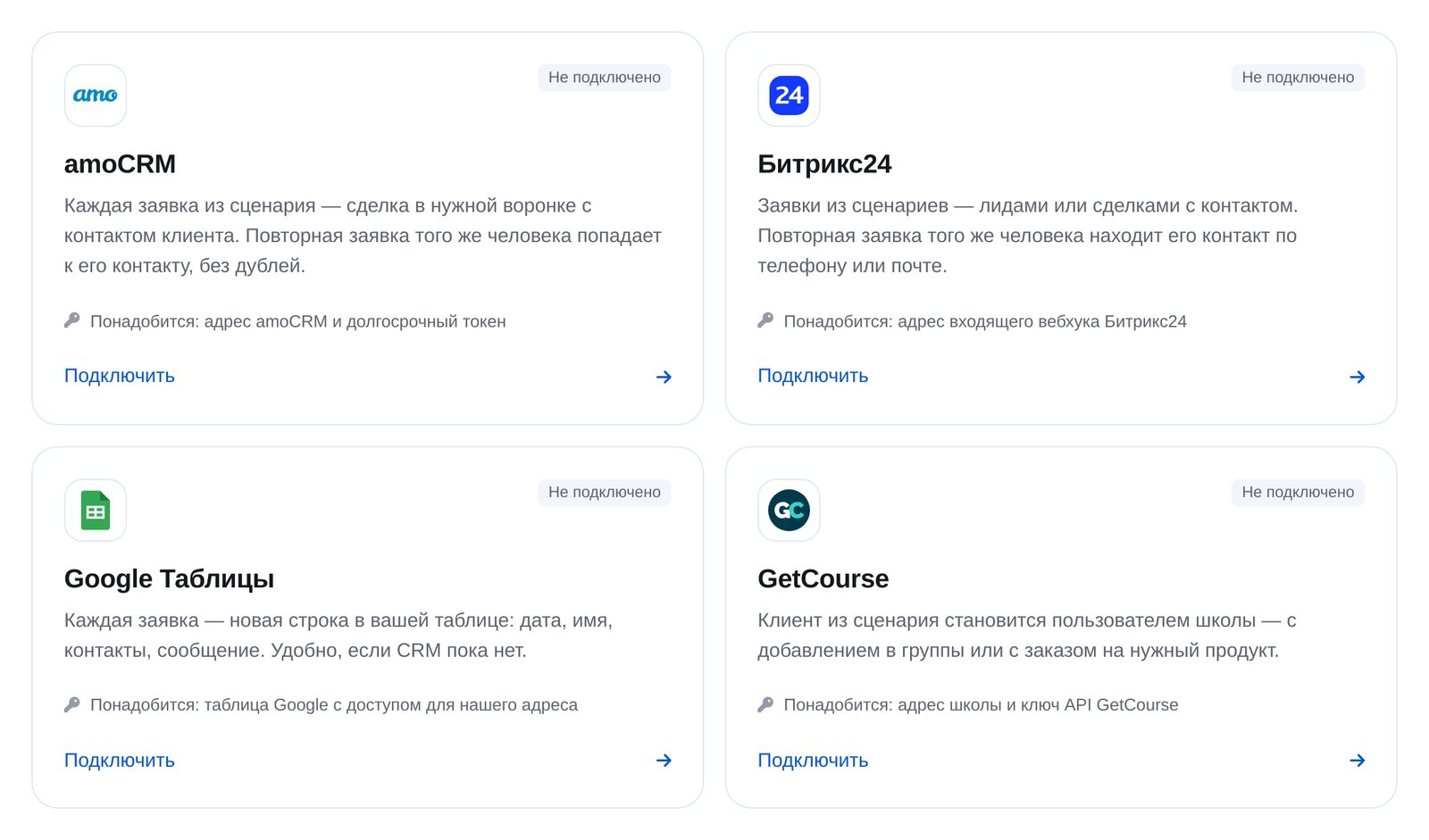
Connect a service
Choose a service and follow its three setup steps. You’ll need a key or link from your account. See each service’s guide below for details.
-
3
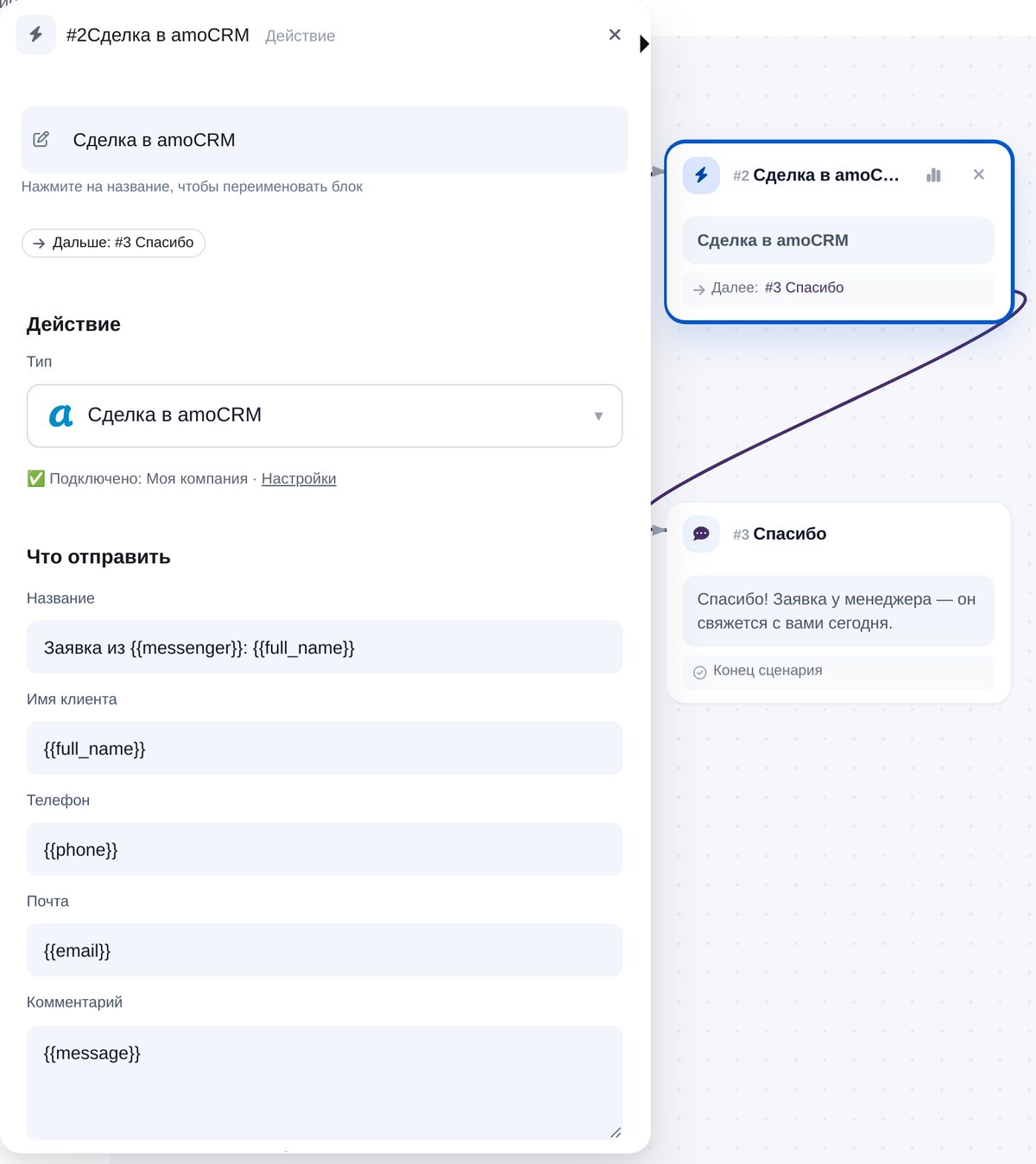
Add a block to your flow
In the flow builder, open “CRM & spreadsheets”. The fields already contain variables for the customer’s name, phone, email and message.
-
4
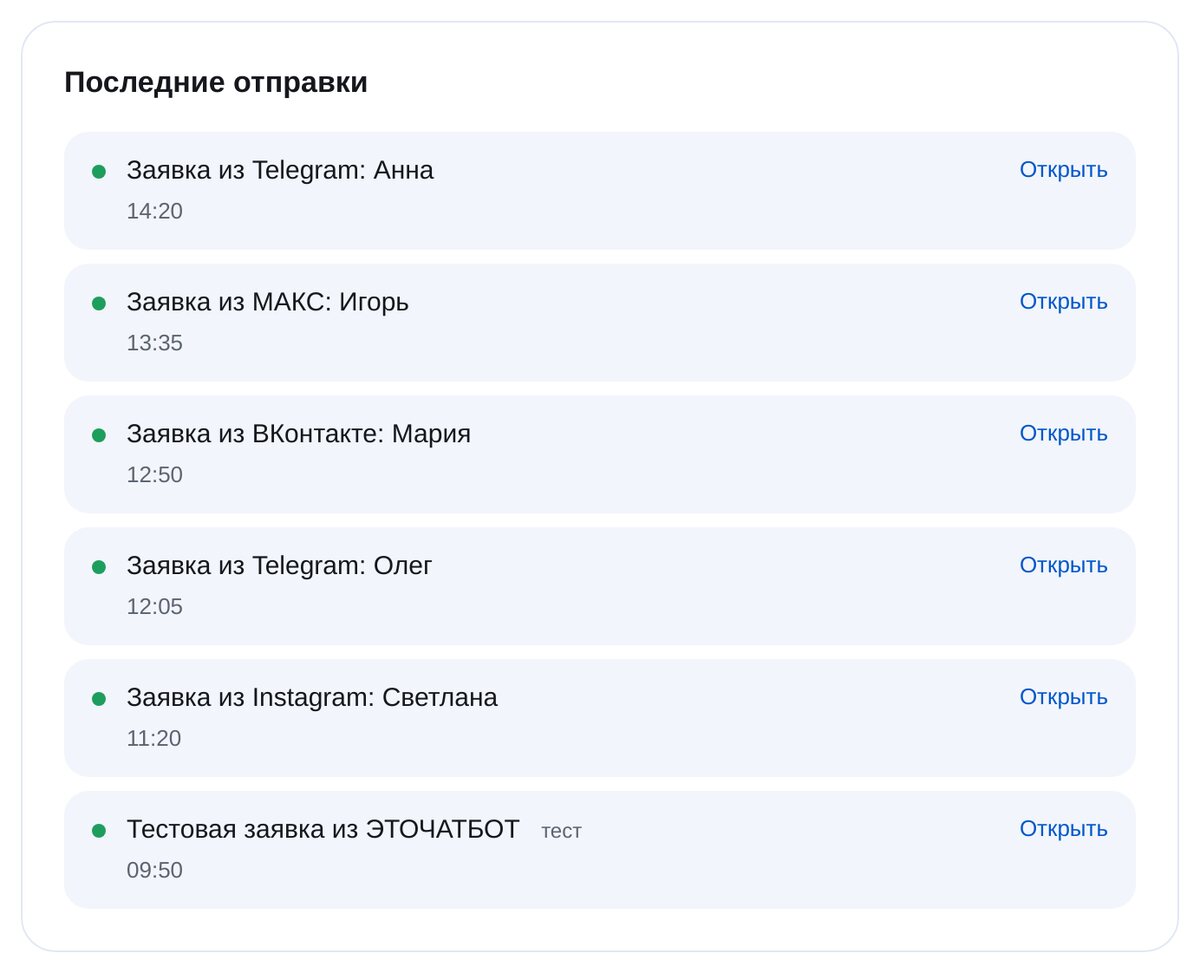
Check the connection
“Send a test lead” checks the connection. “Recent sends” shows every request, when it was sent and whether it reached the service.


FAQs
Which services can I connect?
What is sent to the CRM?
Any duplicates?
What if the CRM doesn’t respond?
Can I connect several services?
Do I need a developer?
How much is it?
Send bot requests straight to your CRM