Comment moderation in Telegram
Spam protection for groups and channel comments: your bot finds links, repeated messages and flooding, then deletes them or sends them to you for review. All comments appear in one feed with filters.
- Awaiting reply — no one has replied yet
- Questions — about prices, timing or availability
- Want to buy — ready to order
- Looks like spam — links, other people’s contact details or repeated messages
How it works
- 1
Your bot is a group administrator
For channel comments, make it an administrator of the discussion group.
- 2
Rules check incoming messages
Links, repeats, frequent messages and new members.
- 3
A violation triggers an action
Delete, restrict or send to you for review.
How to set up Telegram spam protection
In your dashboard:Spam protectionAdd protection
-
1
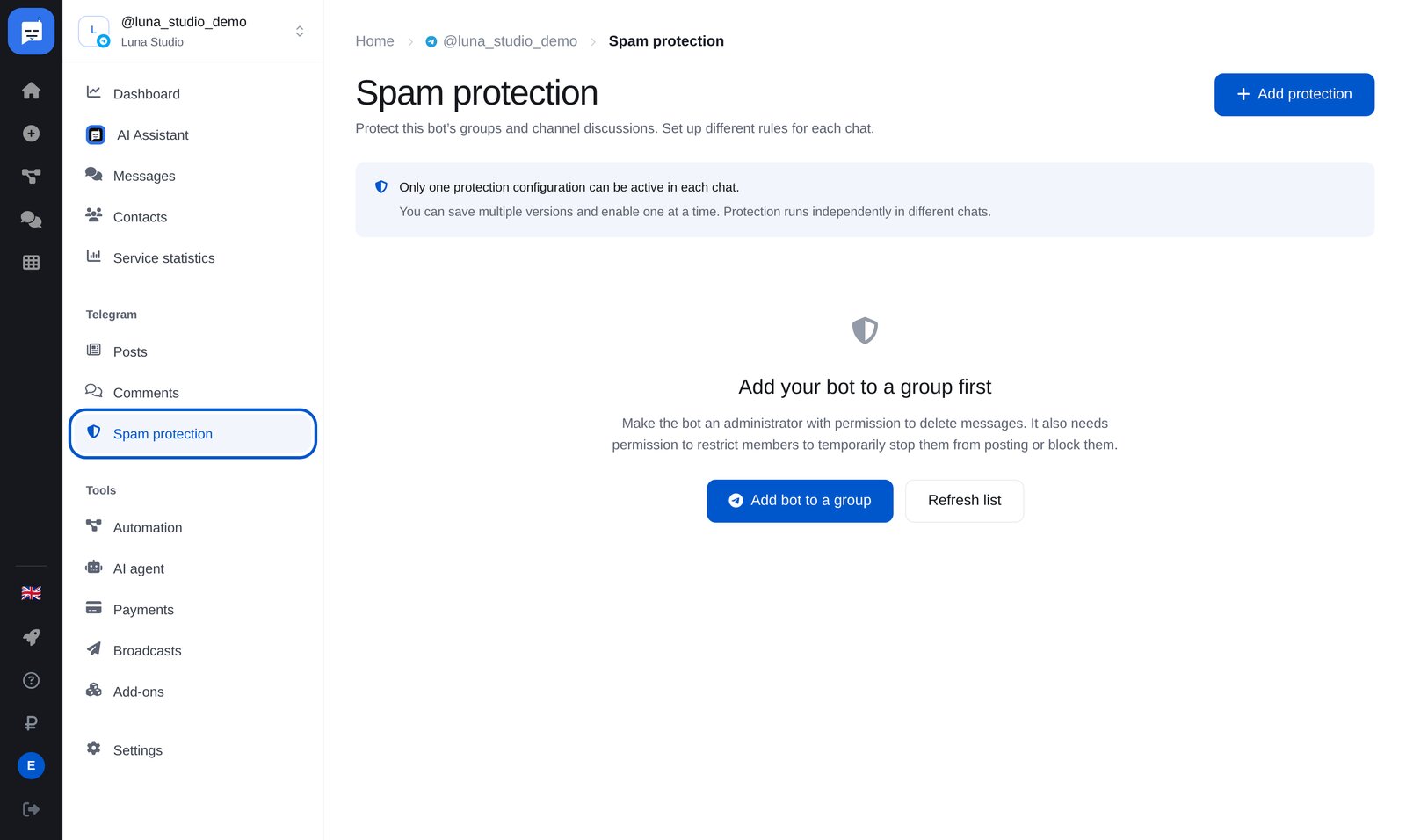
Open “Spam protection” → “Add protection”
Find “Spam protection” in your bot’s Telegram menu. Each group and channel discussion has its own protection settings.
-
2
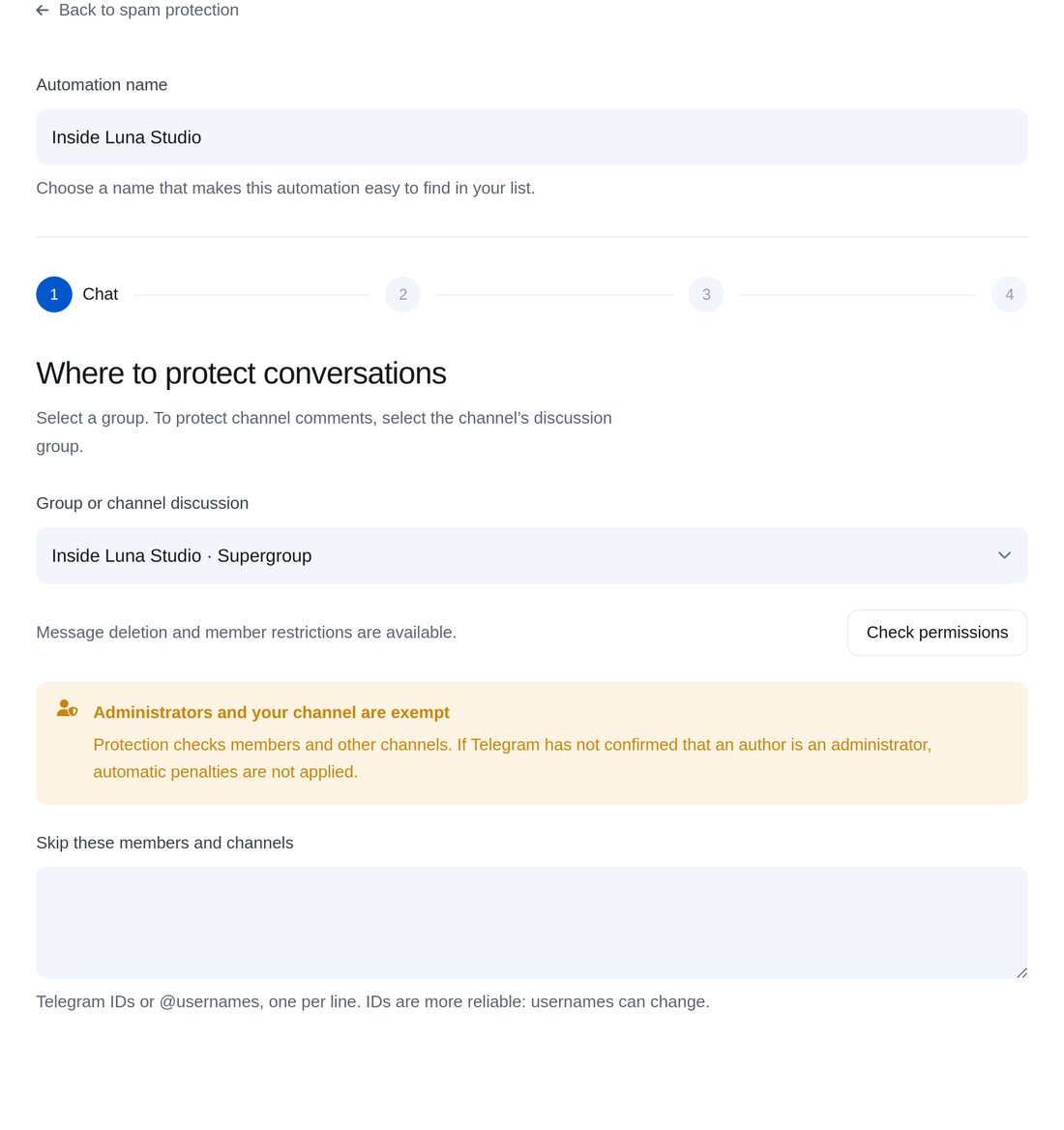
Choose a group
Choose a group or channel discussion. Protection leaves administrators and your own channel untouched. Add trusted members to the exceptions.
-
3
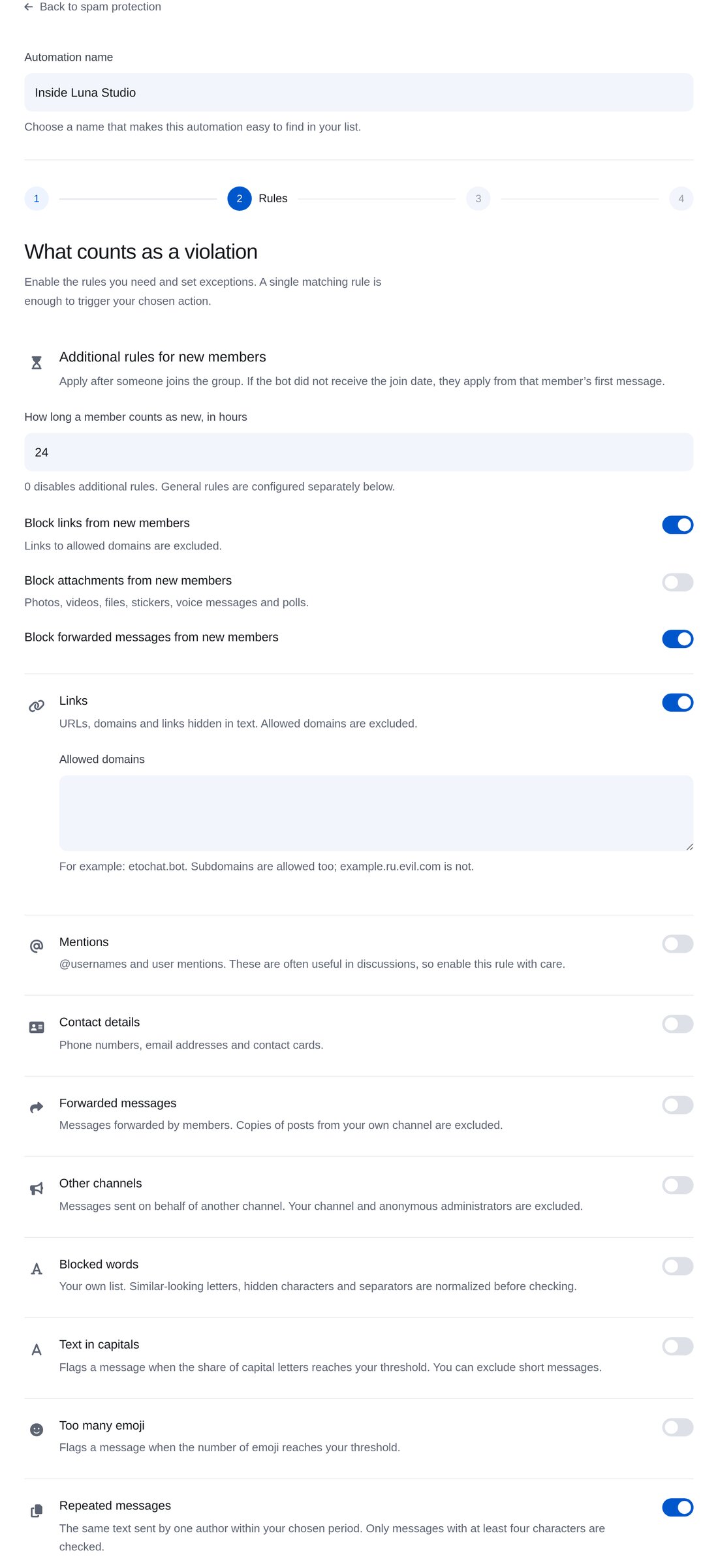
Set the rules
Filter links with a domain allowlist, mentions, repeated messages and frequent posts. For new members, block links, attachments and forwarded messages during their first day.
-
4
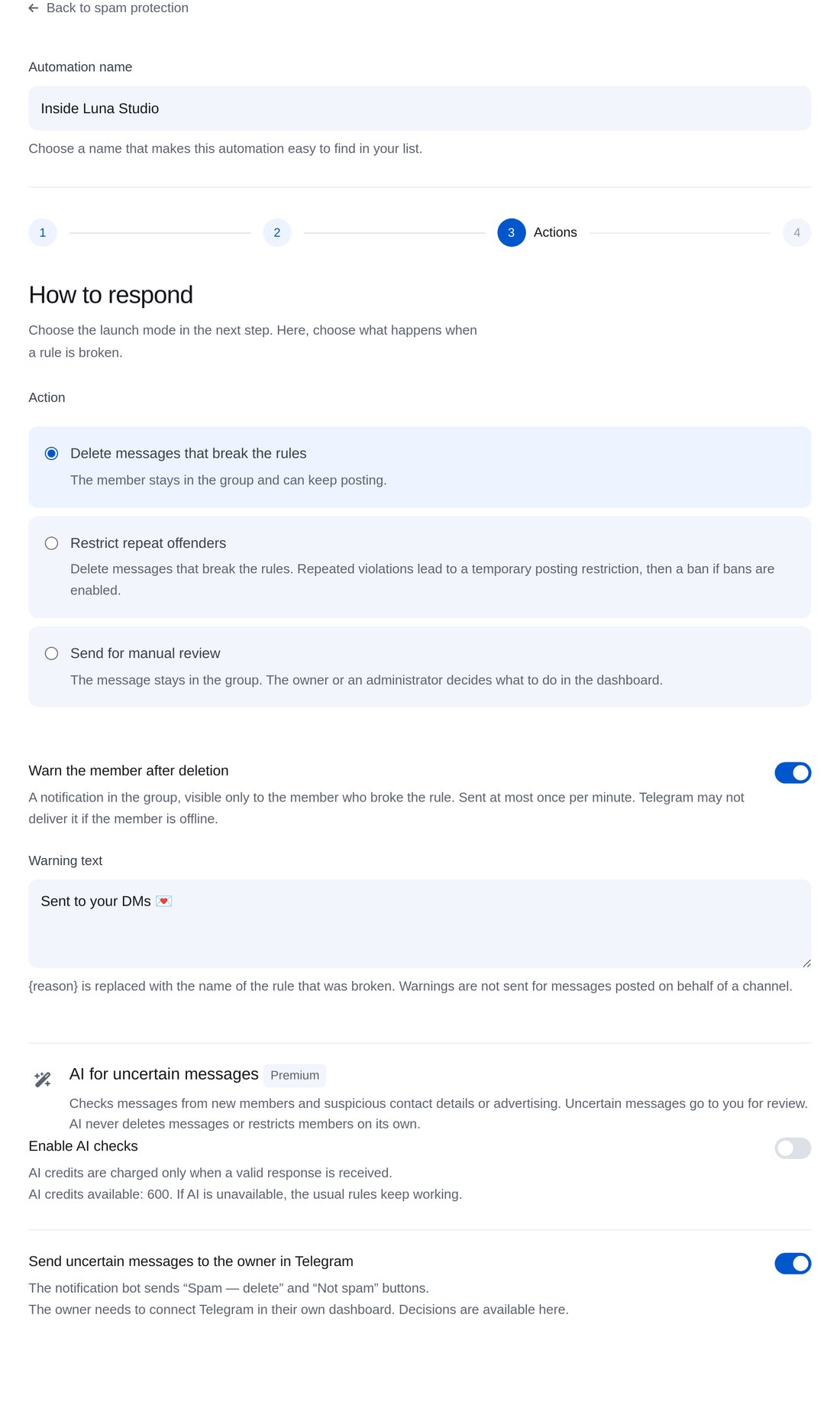
Choose an action
Delete messages, restrict members for repeated violations or send messages for manual review. You can warn the member and use AI to assess uncertain cases.
-
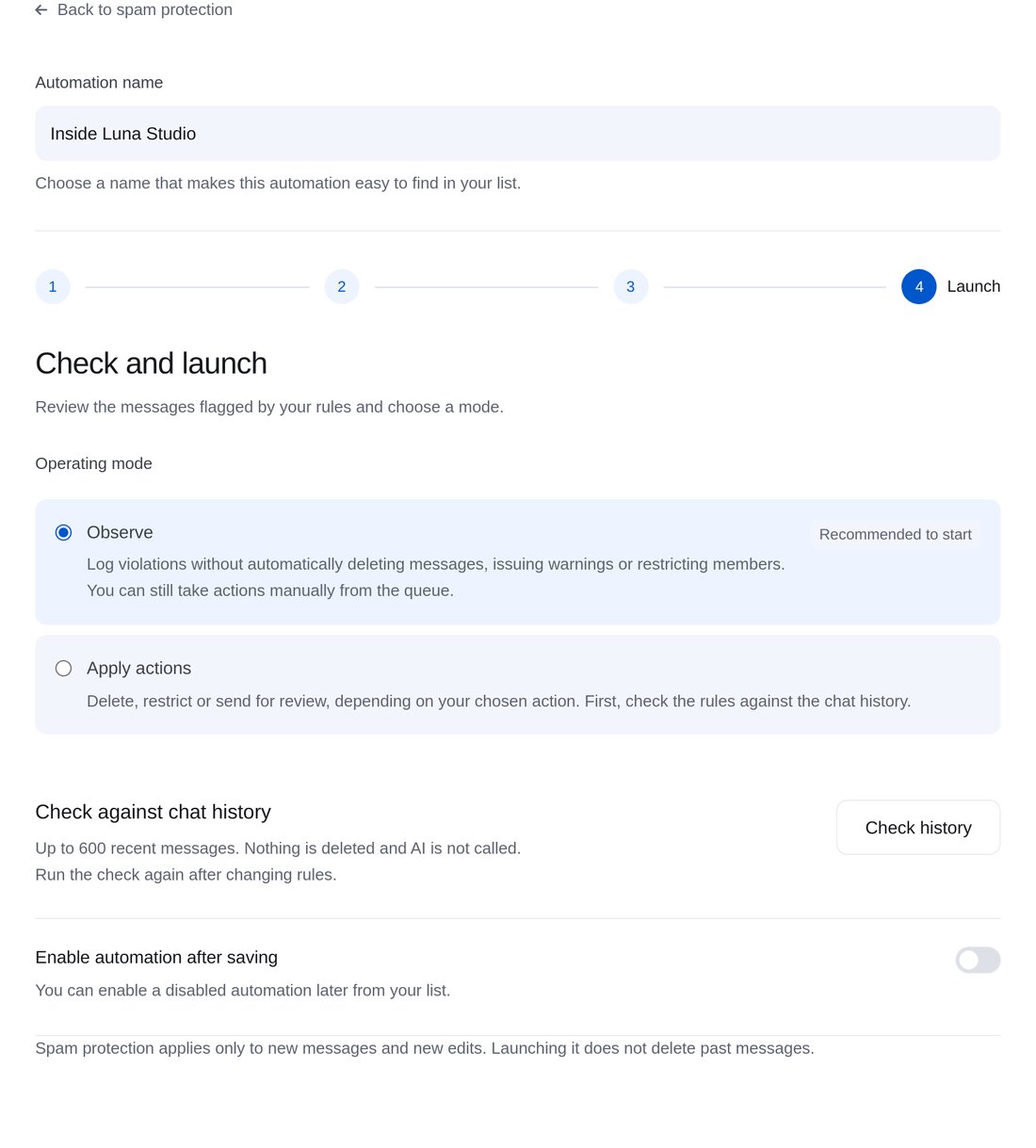
5
Check and launch
Start in “Observe” mode: violations are logged without deleting messages. Test your rules on the chat’s 600 most recent messages.


FAQs
What does the bot need to moderate channel comments?
Will the bot start deleting messages straight away?
Where can I see all comments?
How much is it?
More for your Telegram chatbot
Set up comment moderation in a couple of minutes