An auto-reply bot for Telegram
When customers write at night or on weekends, the bot tells them when you’ll be back. Keywords trigger replies to common questions with buttons. AI answers other questions from your content.
How it works
- 1
A customer messages your bot
At night, on weekends or on holidays.
- 2
The bot replies immediately
Using a schedule, keyword or AI.
- 3
Complex questions wait for you
Find the conversation alongside your other channels.
How to set up a Telegram auto-reply bot
In your dashboard:AutomationNew scenarioUse a templateAfter-hours auto-reply
-
1
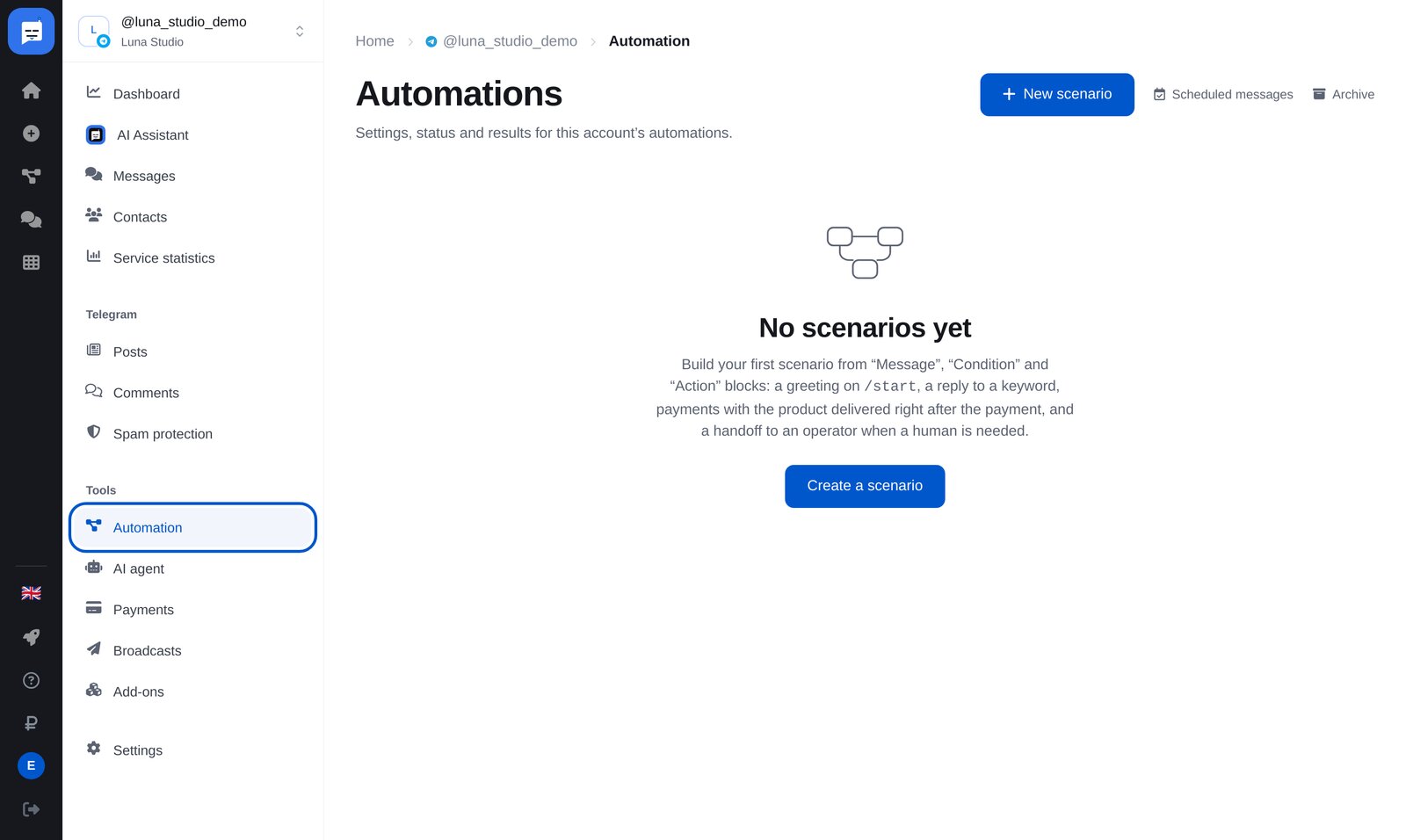
Open “Automation”
In your bot’s left menu, open “Automation”, then click the blue “New scenario” button at the top right.
-
2
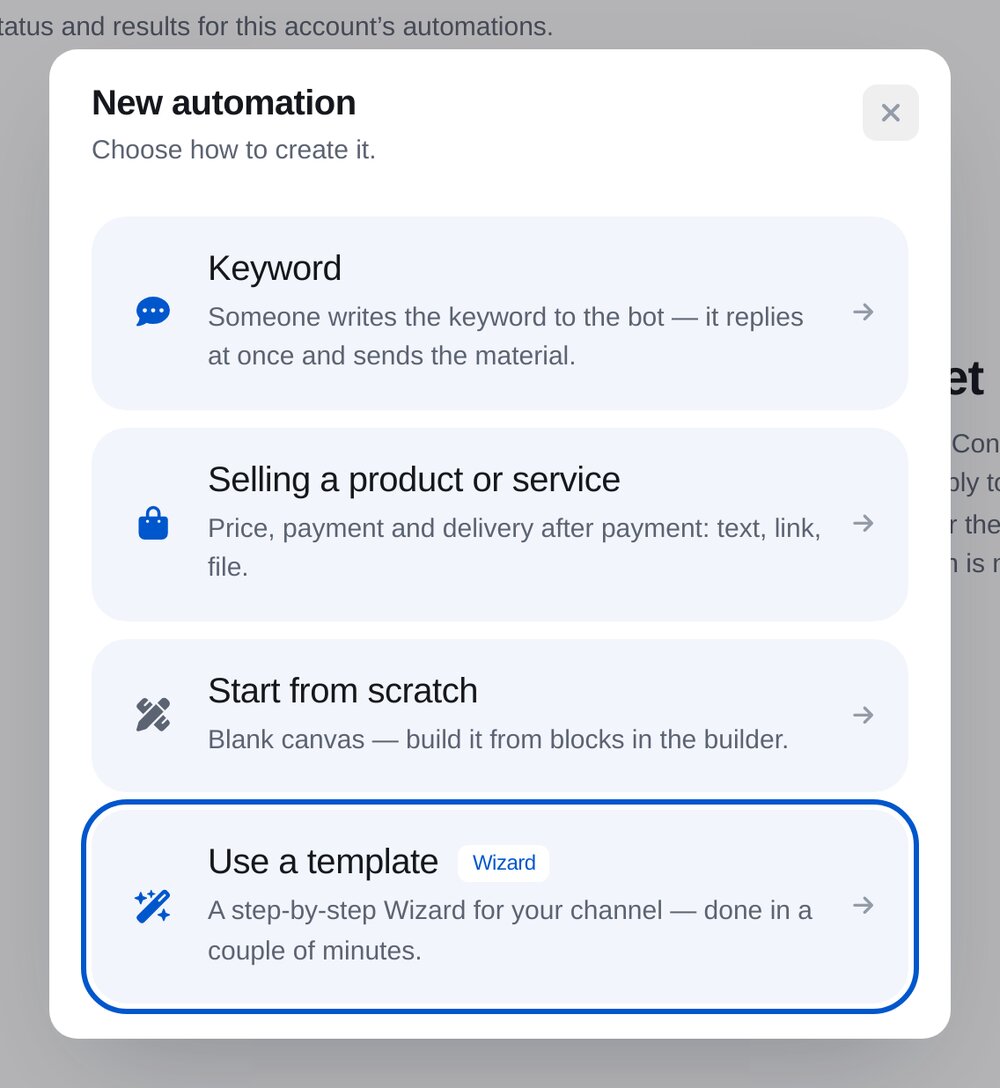
Click “Use a template”
Set up the template step by step. The wizard builds the flow for you.
-
3
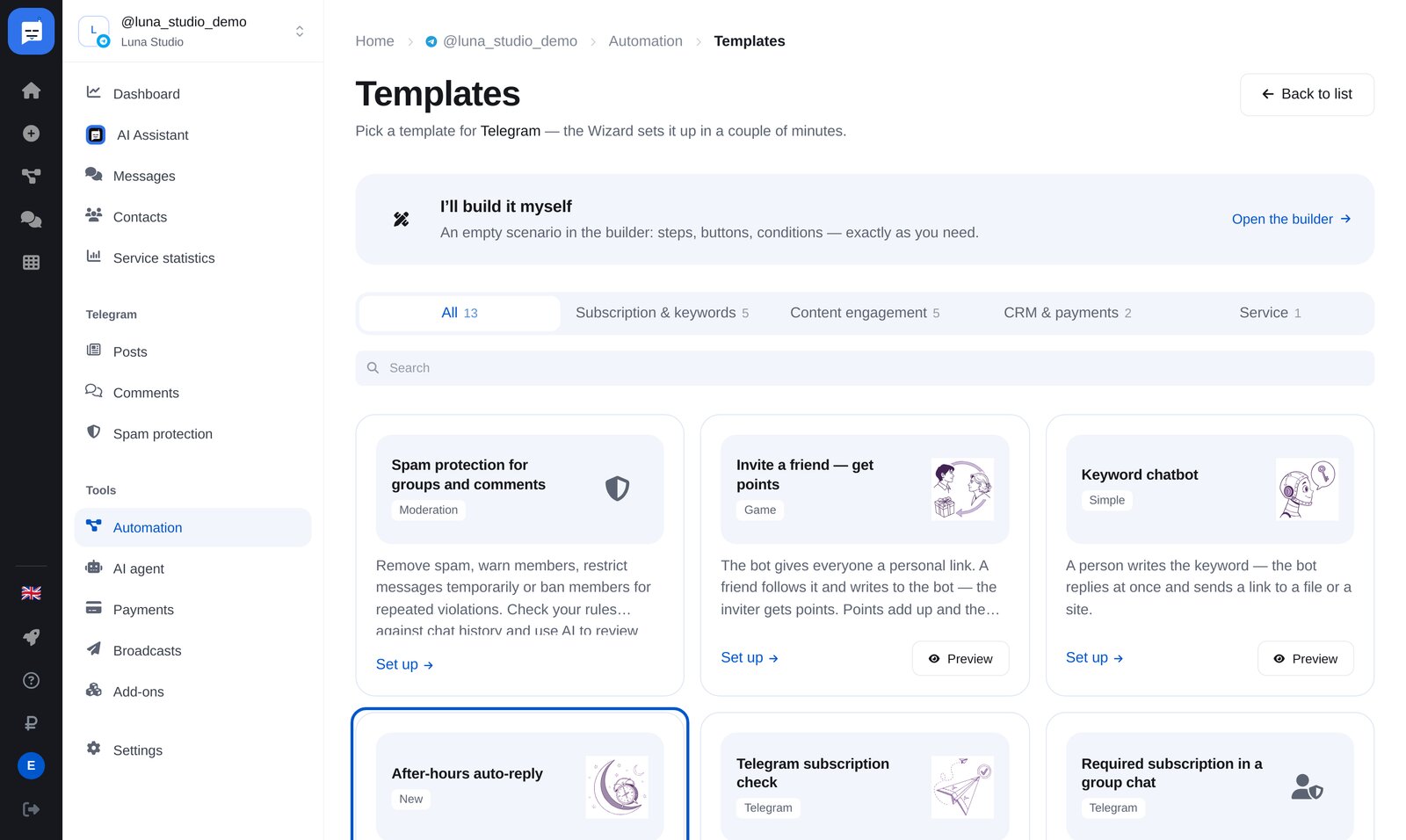
Choose “After-hours auto-reply”
The “Keyword chatbot” template is next to it. Use it for common questions, as explained below.
-
4
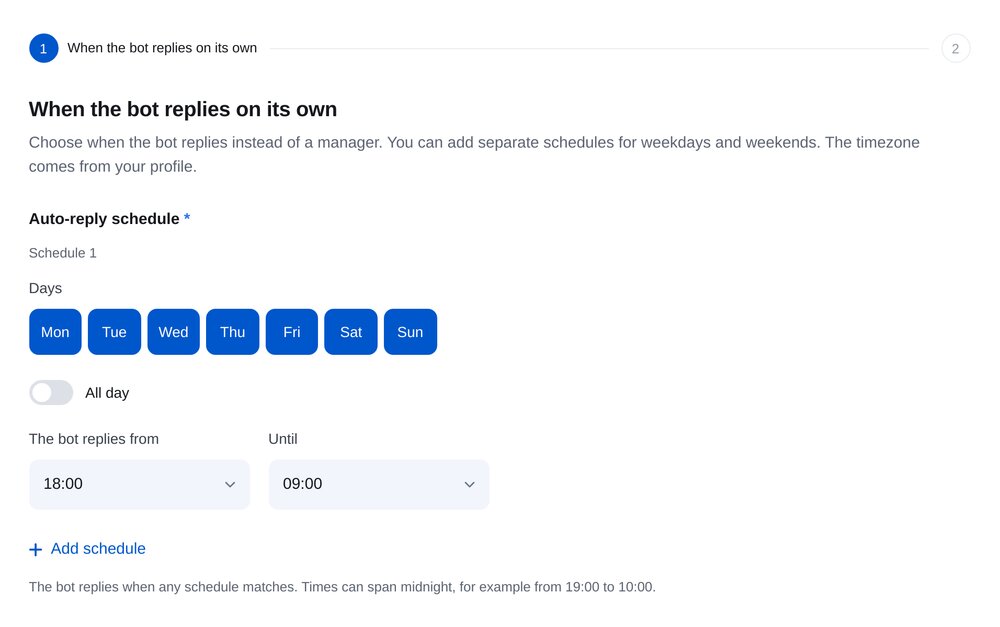
Set the reply schedule
Choose the days and hours when the bot replies instead of your team. Add separate weekday and weekend schedules. The time zone comes from your profile.
-
5
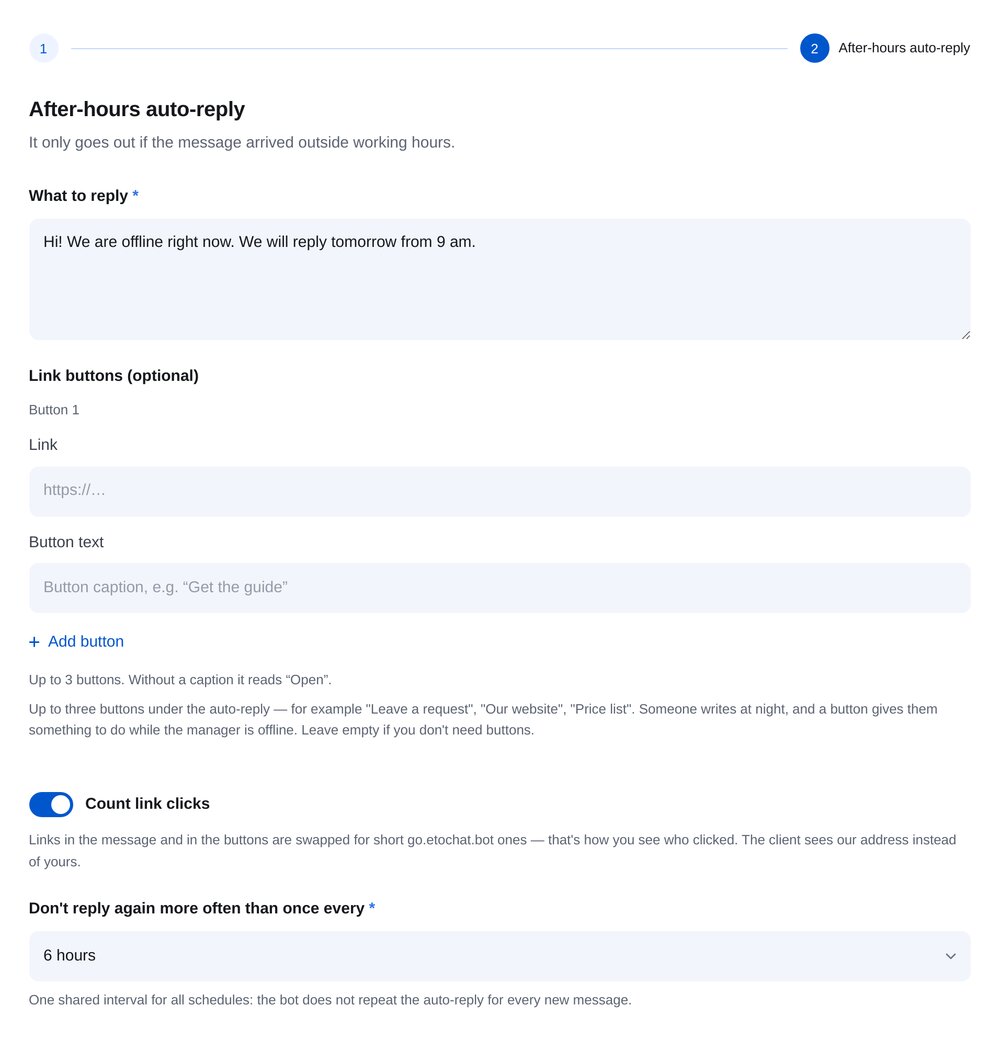
Write your reply
Add text and up to three buttons, such as “Send an enquiry”, “Our website” and “Price list”. Set the interval before another reply, for example 6 hours.
-
6
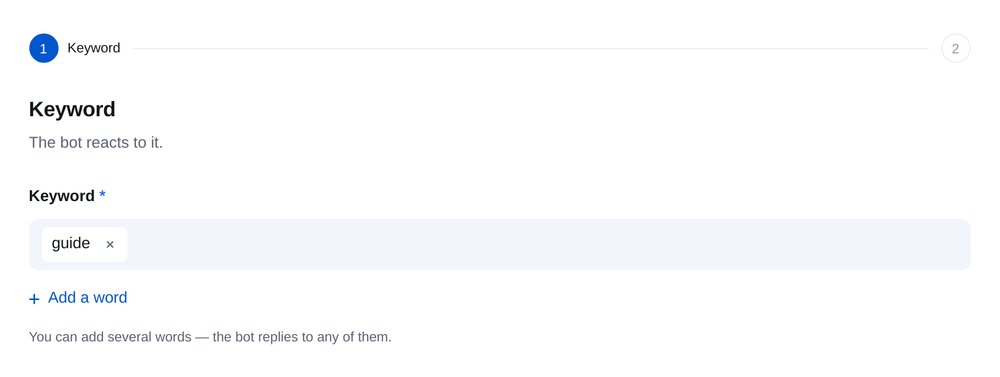
Replies to common questions
With “Keyword chatbot”, a message such as “prices” or “price list” gets an immediate reply. Each rule can contain several keywords.
-
7
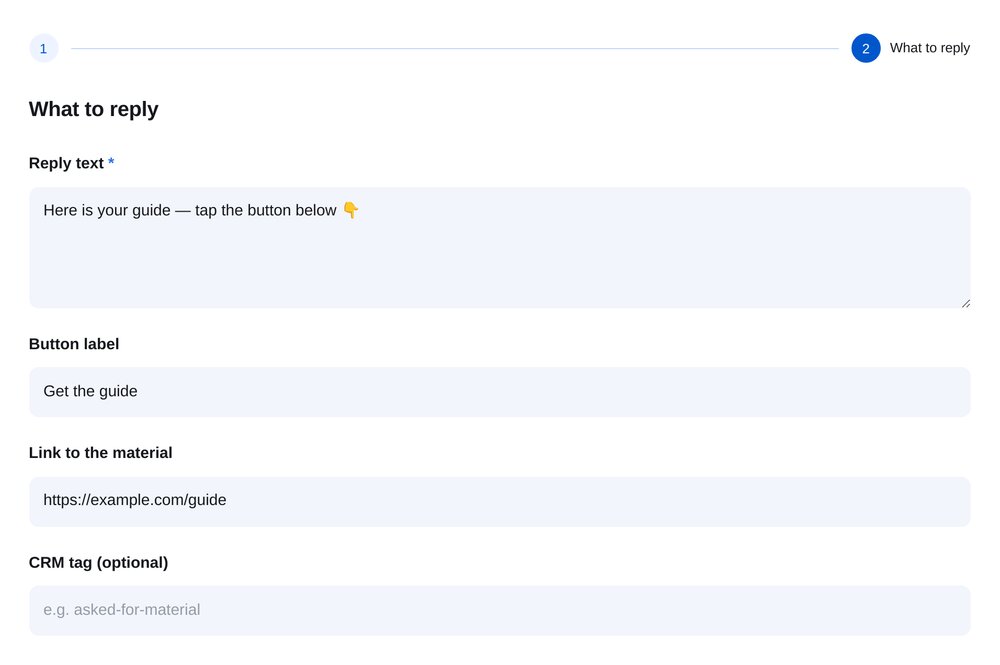
Text and a button
Add the reply, a button label and a link to your content. A CRM tag records who asked for what.
-
8
AI handles other questions
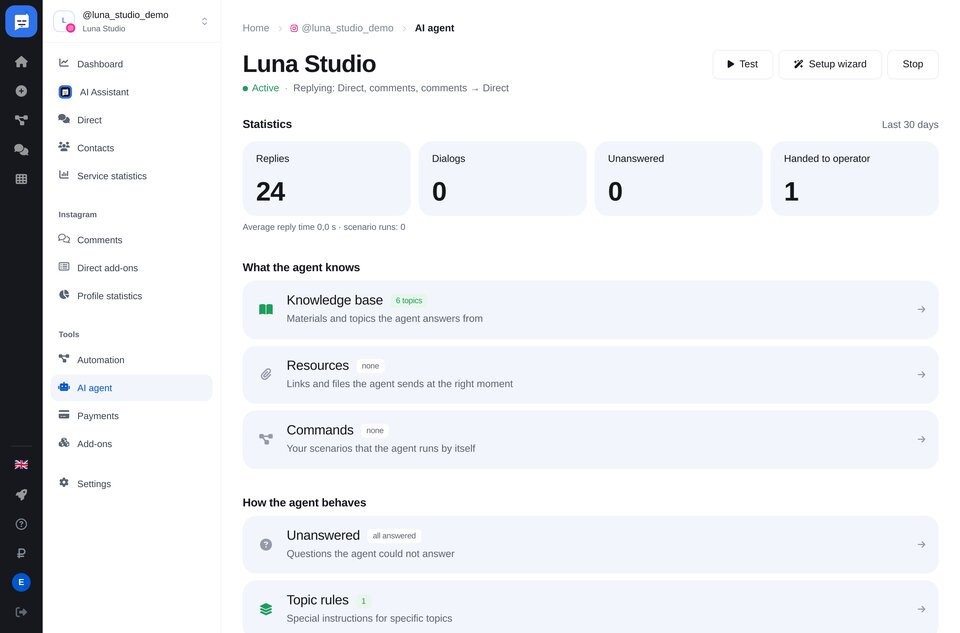
On Premium, an AI agent answers questions your flows don’t cover, using your website, prices or text. If it doesn’t know, it hands over to you.


FAQs
Will the bot reply in my private conversations?
How do I set up auto-replies in my personal Telegram account?
Will the bot reply to every message?
How much is it?
More for your Telegram chatbot
An auto-reply bot in a few minutes