Move your Telegram bot’s subscribers and flows
Moving from another service? Connect the same bot and upload your subscriber export. We’ll check each person in Telegram and add those who are subscribed. The AI assistant rebuilds flows from screenshots of your old funnel.
- The same bot — token from @BotFather
- Subscriber list — from CSV, checked in Telegram
- Flows — rebuilt from screenshots by the AI assistant
- Broadcast — using the “moved” tag
How it works
- 1
Connect the same bot
Use the token from @BotFather to keep your subscribers.
- 2
Upload your subscriber list
CSV or TXT from your previous service. We’ll check each person in Telegram.
- 3
Move your flows
Give screenshots of your funnel to the AI assistant to rebuild the same flow.
How to move your Telegram bot and subscribers from another service
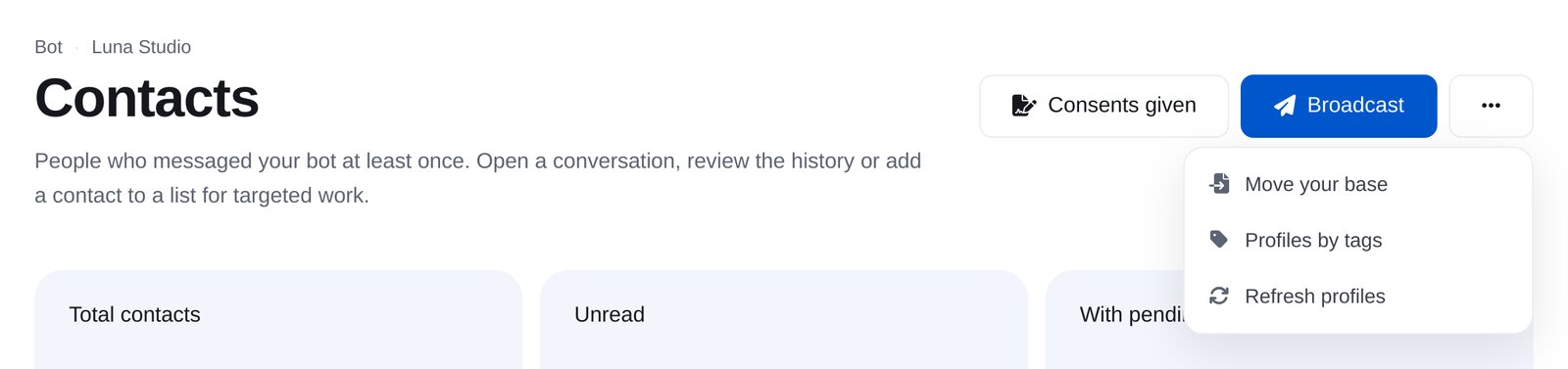
In your dashboard:ContactsMoreMove your base
-
1
Connect the same bot
“Connect an account” → Telegram → token from @BotFather (/mybots → your bot → API Token). Only the bot people subscribed to can message them. Once connected here, messages arrive at our service and the previous service stops receiving them. Prepare your flows in advance.
-
2
Export subscribers from your previous service
Usually, open its customers or audience section and export to CSV. You need a Telegram ID column (user_id or chat_id). Phone numbers and order numbers won’t work. You can keep names and other columns.
-
3
Open “Move your base”
In your bot’s “Contacts”, click “More” at the top right → “Move your base”.
-
4
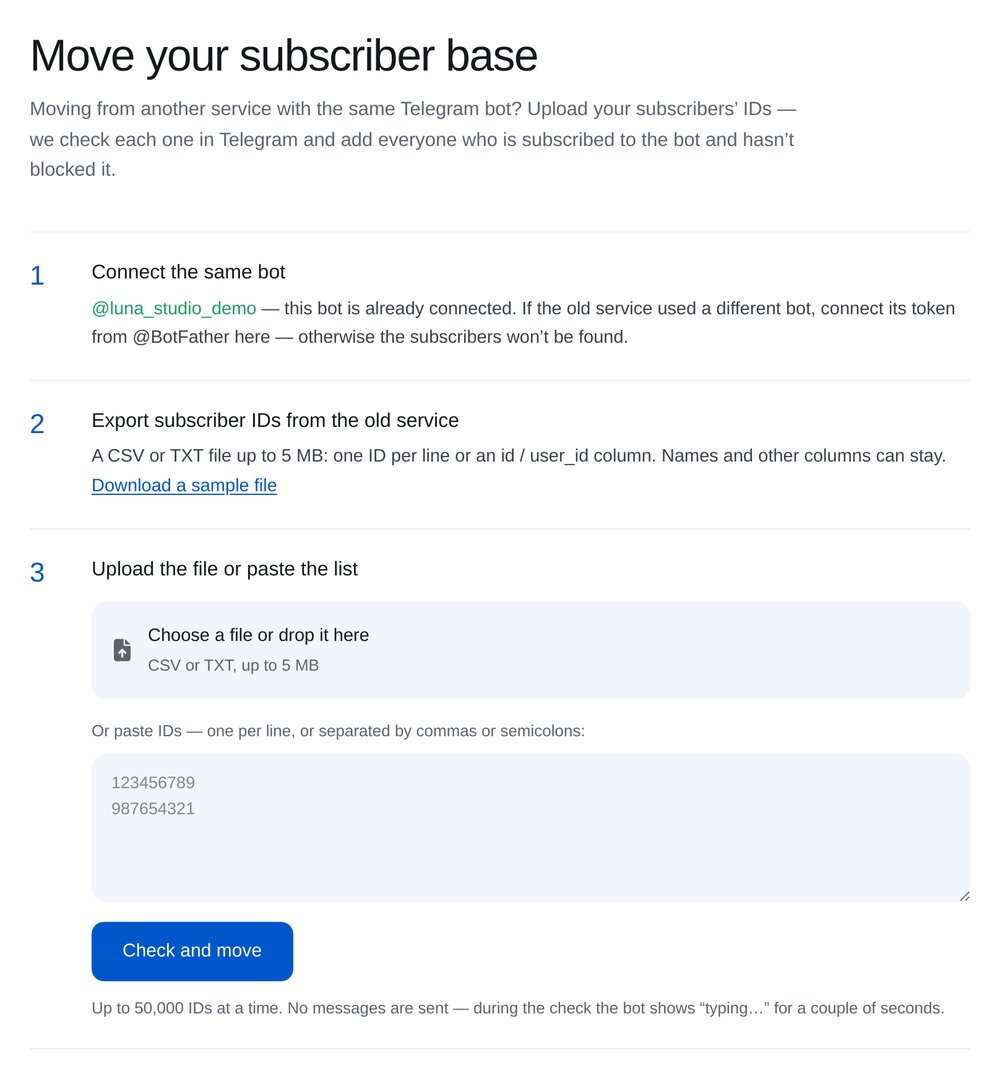
Upload your file
CSV or TXT up to 5 MB, with up to 50 000 IDs per upload. Or paste a list in the field, one ID per line.
-
5
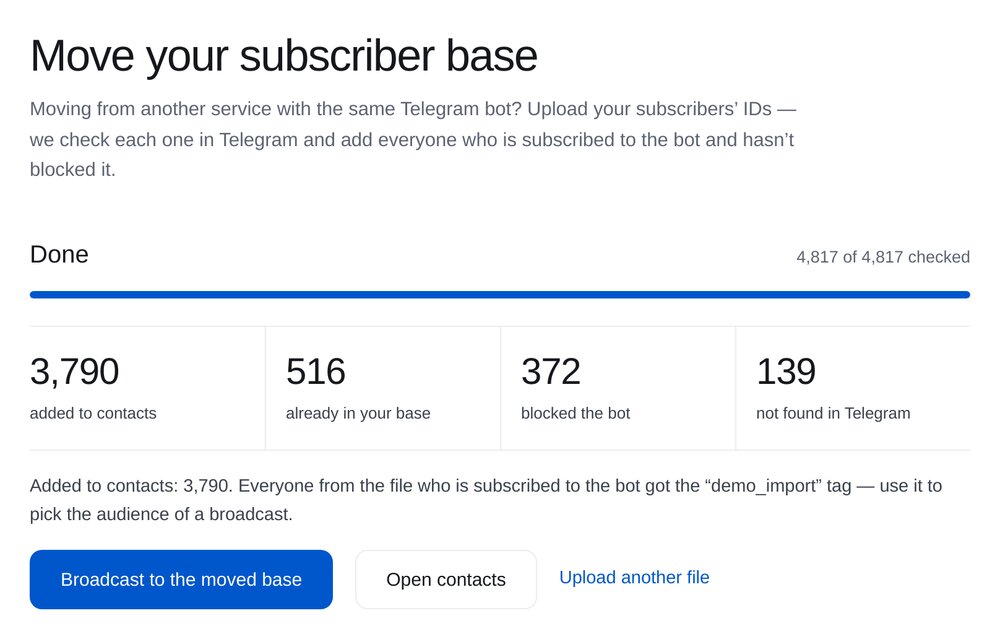
Wait for the checks
We check everyone in Telegram: add subscribed users and exclude people who blocked the bot or IDs it doesn’t recognise. Subscribers receive no messages; the bot shows “typing…” for a couple of seconds. You can close the page while checks continue.
-
6
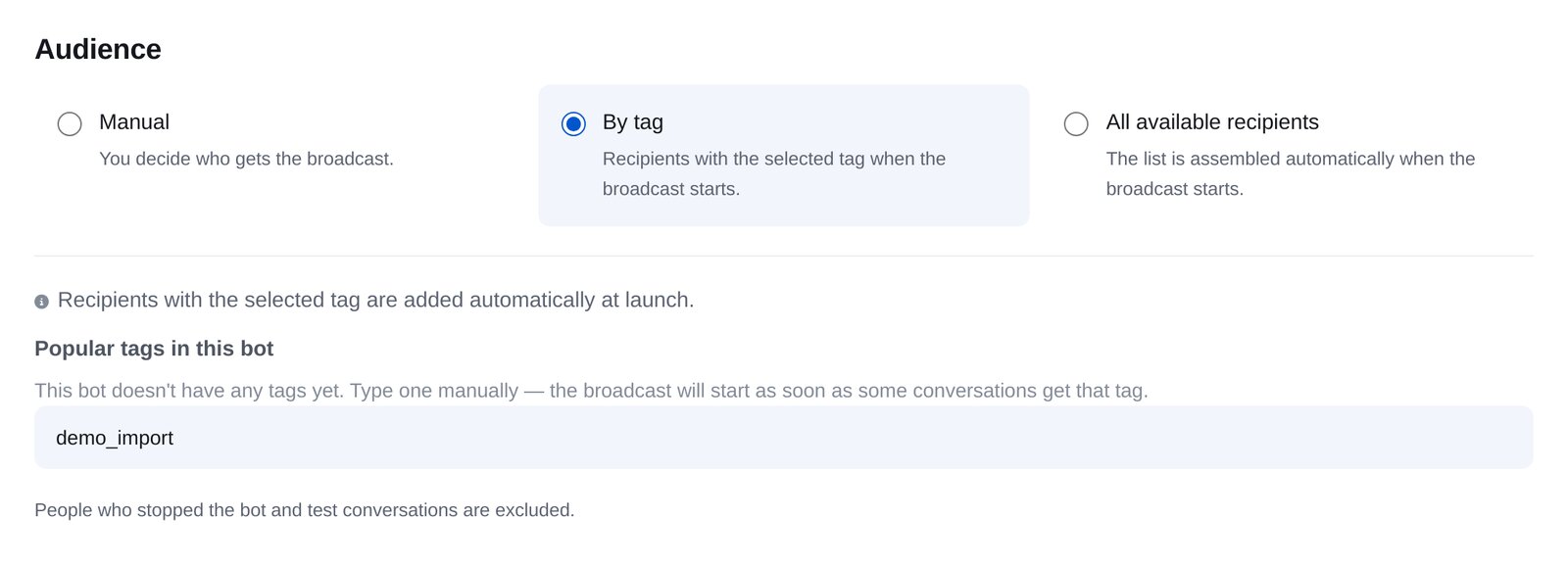
Send a broadcast to your moved subscribers
Everyone from the file gets the “moved” tag. “Broadcast to the moved base” opens a broadcast with this tag already selected. Tell subscribers you’ve moved and what’s new.
-
7
Rebuild flows with the AI assistant
Open “AI Assistant”, choose “Help me move from another service: rebuild my funnel and move my subscribers” and send screenshots of your flow and message texts. The assistant rebuilds the flow with buttons and conditions. Check the links, then turn it on.


FAQs
Can I import subscribers without reconnecting my bot?
Where do I find subscriber IDs?
Will subscribers notice the move?
Who won’t be imported?
How many IDs can I upload?
What about Instagram?
How much is it?
More for your Telegram chatbot
Move from another service in a couple of minutes