Comment auto-replies in Instagram
Your bot replies to new comments automatically, with a random response from your list or an AI reply that addresses the comment. It runs when no keyword rule matches.

How it works
- 1
A comment arrives
Under any post or selected posts.
- 2
Keyword rules run first
If a rule matches, the general auto-reply stays silent.
- 3
Otherwise, the auto-reply runs
One comment, one reply, no duplicates.
How to enable Instagram comment auto-replies
In your dashboard:CommentsAuto-replies
-
1
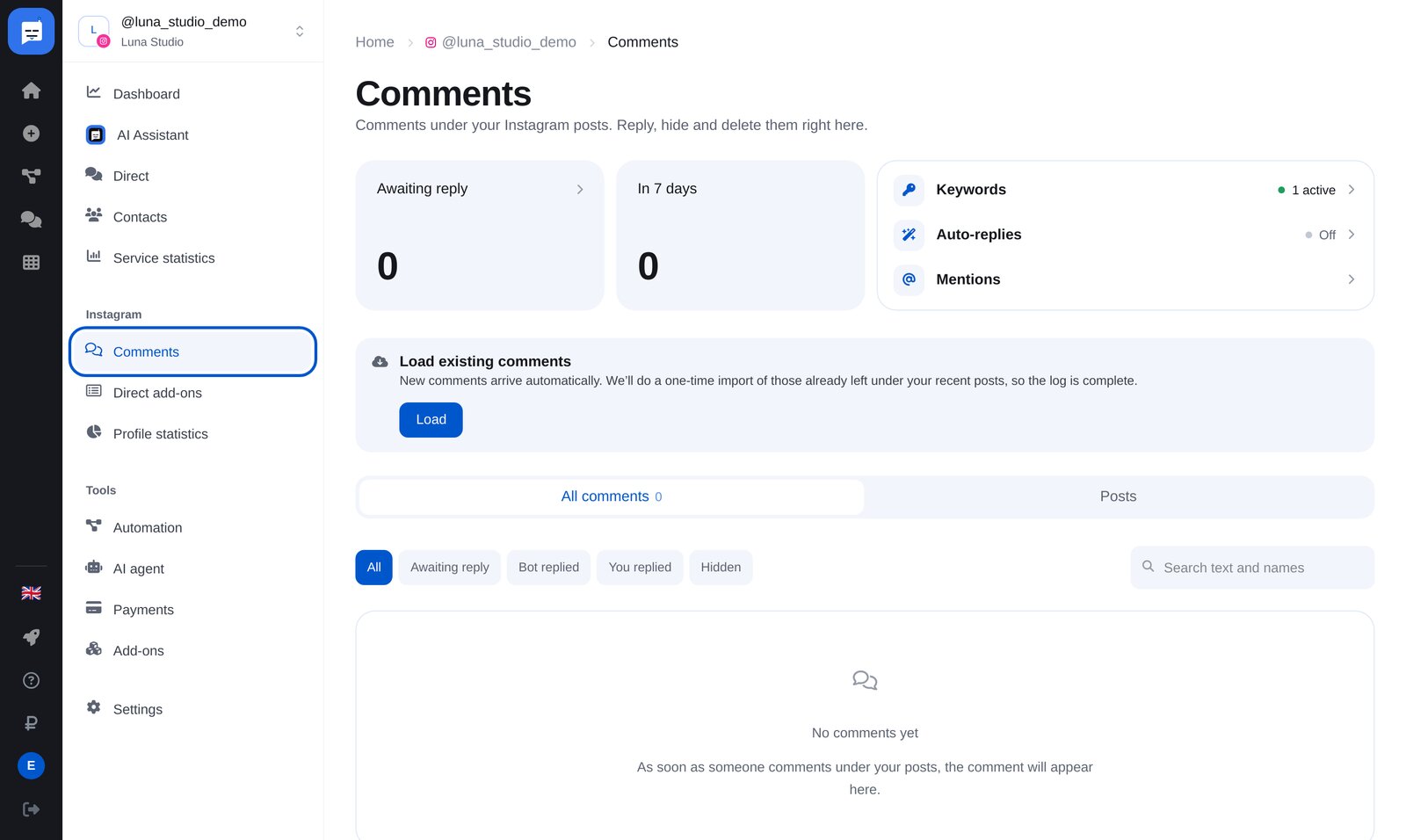
Open “Comments” → “Auto-replies”
Find “Comments” in your bot’s Instagram menu. Above the feed are three links: “Keywords”, “Auto-replies” and “Mentions”.
-
2
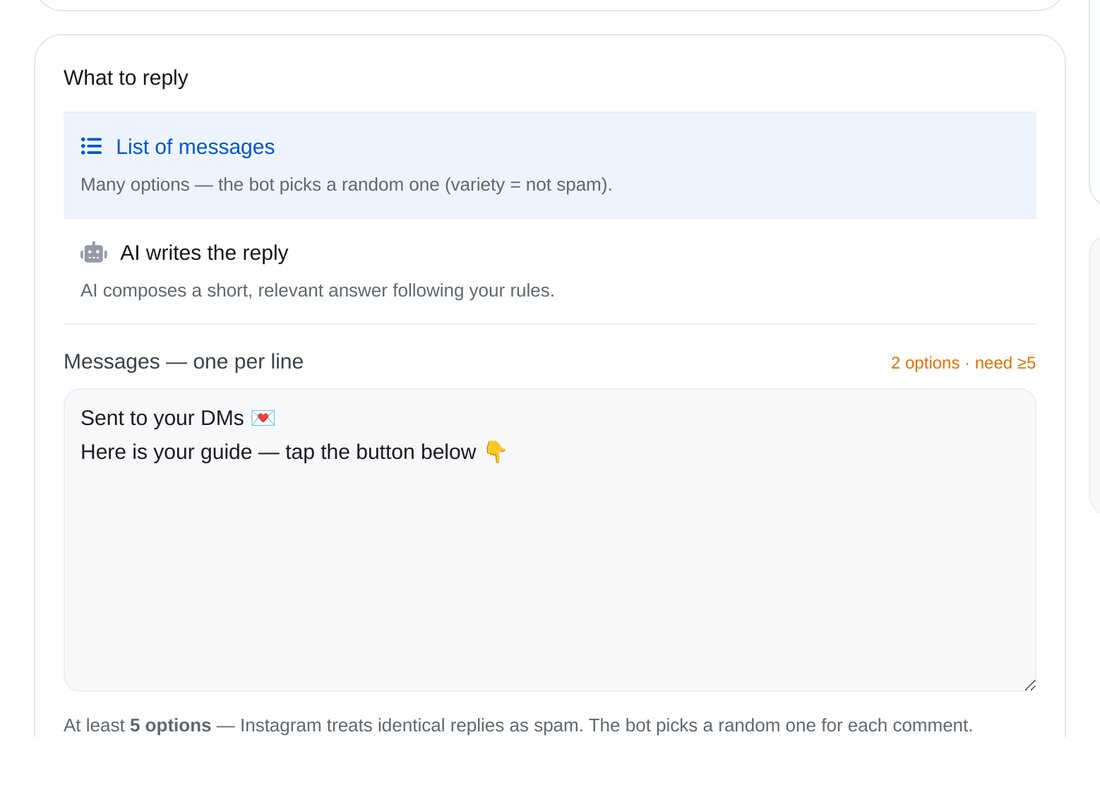
Choose what to reply
Add at least five messages for your bot to choose from at random. Or let AI write a short reply following your rules.
-
3
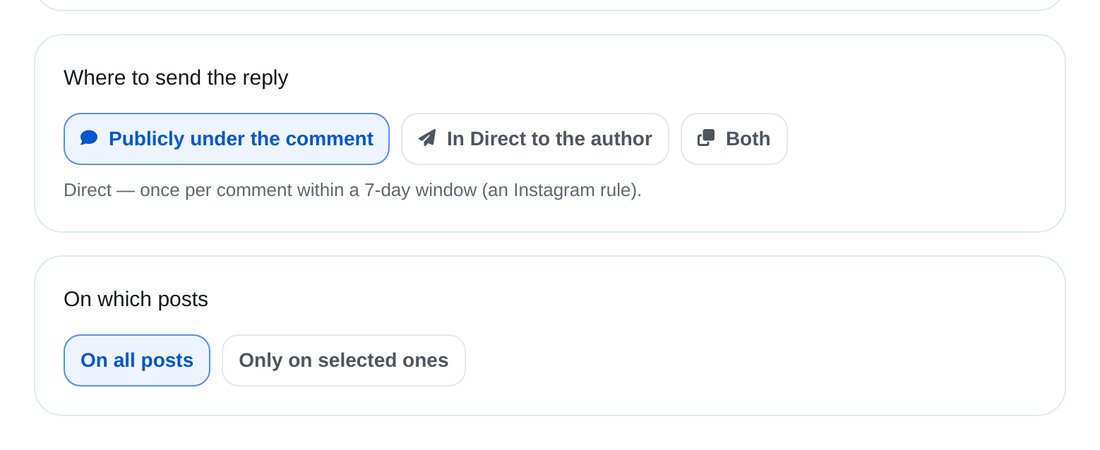
Where to reply and which posts to cover
Publicly under the comment, privately in a DM to its author, or both. On all posts or selected ones.
-
4
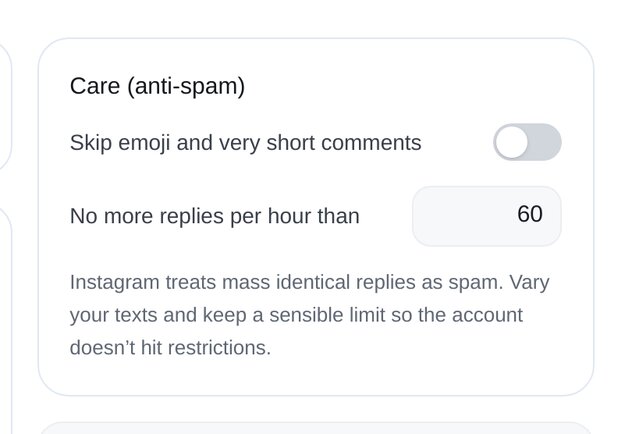
Set reply safeguards
Skip emojis and very short comments if you wish. An hourly reply limit protects your account: Instagram treats large numbers of identical replies as spam.
-
5
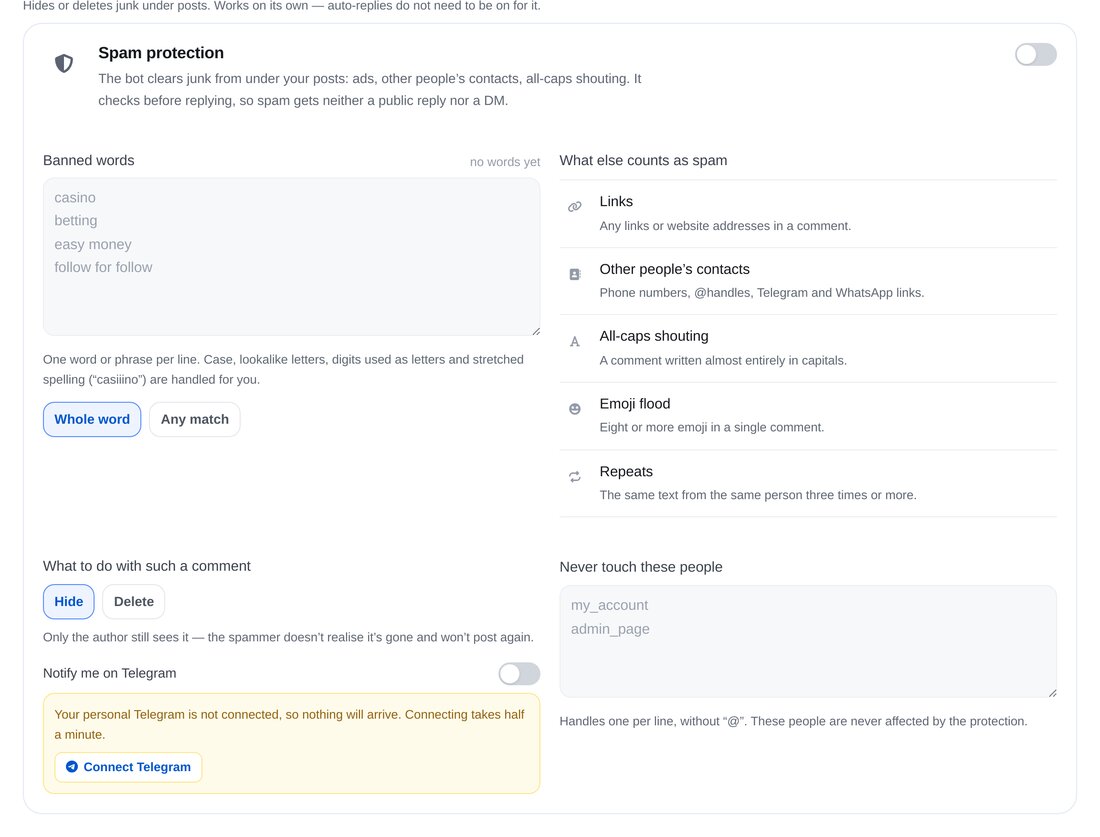
Turn on spam protection
The bot hides or deletes banned words, links, other people’s contact details, all-caps text, emoji-only comments and repeats, without replying to them.


FAQs
Why do I need at least five replies?
How are auto-replies different from keyword rules?
Can AI answer?
Does the bot delete spam?
More for your Instagram chatbot
Set up comment auto-replies in a couple of minutes