An AI agent for business
Replies to customers using your materials, runs your flows and calls in a team member when it’s unsure.
Learns from your website, files and description in a couple of minutes. Replies in Telegram, Instagram and website chat.
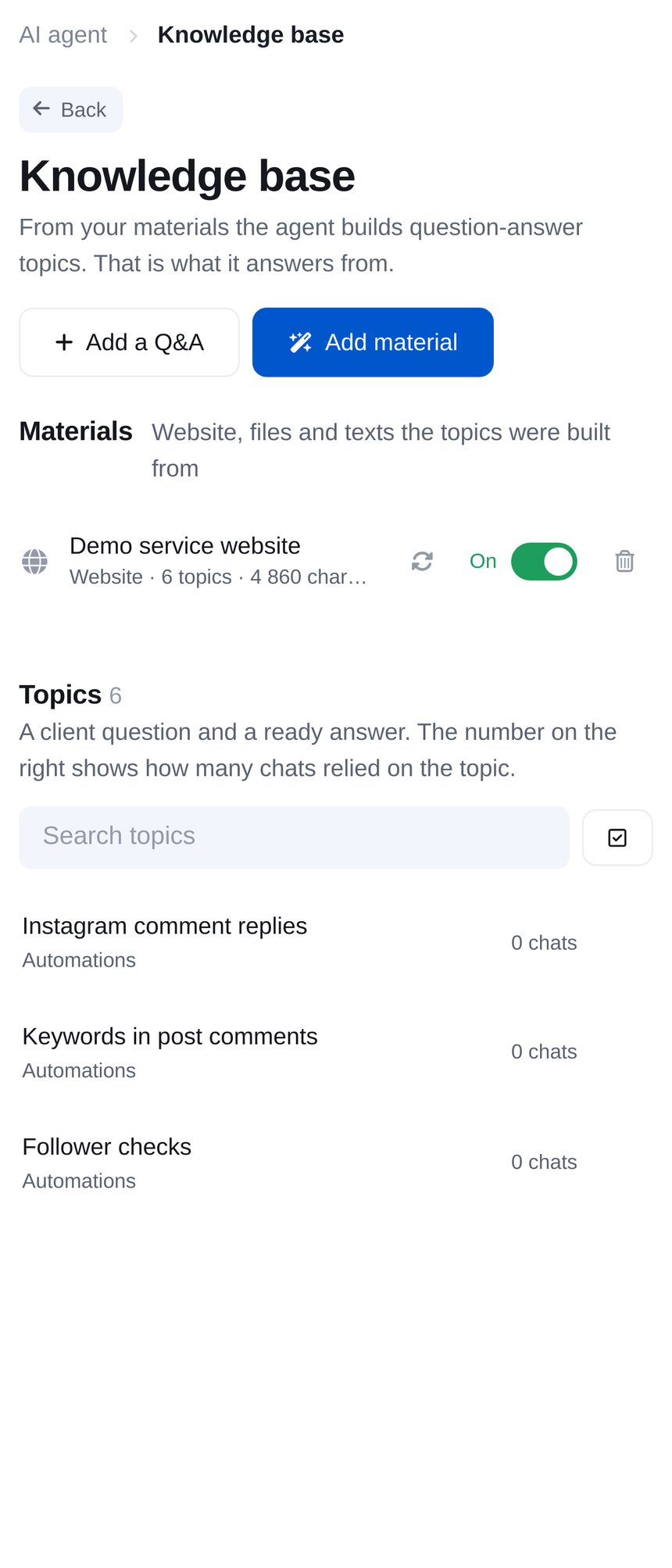
Learns from your content
Add a website address, a file or a description in your own words. The agent creates a knowledge base organised into question-and-answer topics and uses it to reply.
-
Your whole website
The agent reads up to 25 pages for services, prices, terms and contact details. It processes a website in 2–4 minutes.
-
Files and text
PDF, DOCX, TXT or Markdown files up to 25 MB, or a few paragraphs in your own words. Takes about a minute.
-
See what your agent knows
Edit, disable or delete any topic. If your website changes, use “Crawl the site again”.

Replies like a member of your team
Define the agent’s role, tone and boundaries. It follows the conversation and understands short follow-up questions such as “What about Telegram?”.
-
Tone and communication rules
Choose a friendly, business, expert or sales tone, and add your own rules. Replies can be short, standard or detailed.
-
Rules by topic
Specific instructions for each topic: “prices only from the knowledge base” or “refunds straight to an operator”.
-
Sends files and links
Your agent sends prices, catalogues or presentations when asked. After replying, it can suggest buttons with common questions.

Replies wherever customers message you
Choose which messages your agent answers. Until you select a source, it stays silent.
-
Private messages
Telegram, Instagram DMs and website chat.
-
Comments
Under Instagram posts, publicly or in DMs, and in Telegram channel discussions.
-
Groups and stories
In Telegram groups, when the bot is mentioned or someone replies to it. In Instagram, for replies to your stories and mentions.

Runs your flows
Your agent does more than answer questions. Describe when a flow is needed, and it starts that flow when the conversation calls for it.
-
Commands
“Run when the customer wants to book a demo” starts your enquiry flow without a keyword. Up to 30 commands per agent.
-
Appointment booking
The agent sees services and staff in the “Booking” module and offers customers available times.
-
Your keywords
Connect keyword flows in one click. Your agent runs them even when a customer asks in their own words.
- The customer writes — “I’d like to book a demo on Thursday”
- The agent recognises the command — “book a demo”
- Your flow starts — asks for a name and time, then creates an enquiry
Unsure? It brings in your team
If the answer isn’t in your knowledge base, the agent doesn’t make it up. Choose whether it hands over to an operator, replies with what it knows or stays silent.
-
Keywords that bring in your team
When a customer writes “operator” or “manager”, the conversation comes straight to you. The agent doesn’t attempt to reply.
-
Telegram notification
When the agent can’t help, you receive a conversation summary and the customer’s contact details.
-
Steps aside when you reply
When you start replying yourself, the agent stays silent and flows pause for that customer for the time you set.

Gets better as you add answers
Unanswered questions go into a separate list. Add an answer once, and the agent knows it for next time.
-
“Unanswered”
Questions the agent didn’t understand and your replies to customers. Click “To knowledge base”, and the agent learns the answer.
-
Brings customers back
If a customer goes quiet, your agent sends one gentle reminder or a useful suggestion.
-
Statistics
Replies over 30 days, unanswered questions, customer feedback and the number of command launches.
- An unanswered question — appears in “Unanswered”
- You add an answer — it joins the knowledge base
- Your agent replies — to this and similar questions
How to launch an AI agent
No code or developer needed. While the agent is off, your bot works as before, using flows and keywords.
- 1
Connect a platform
Telegram, Instagram or website chat. Connect in the dashboard without a developer.
- 2
Add your materials
“AI agent” → “Setup wizard”: add a website, file or description in your own words. The agent creates its knowledge base.
- 3
Check and launch
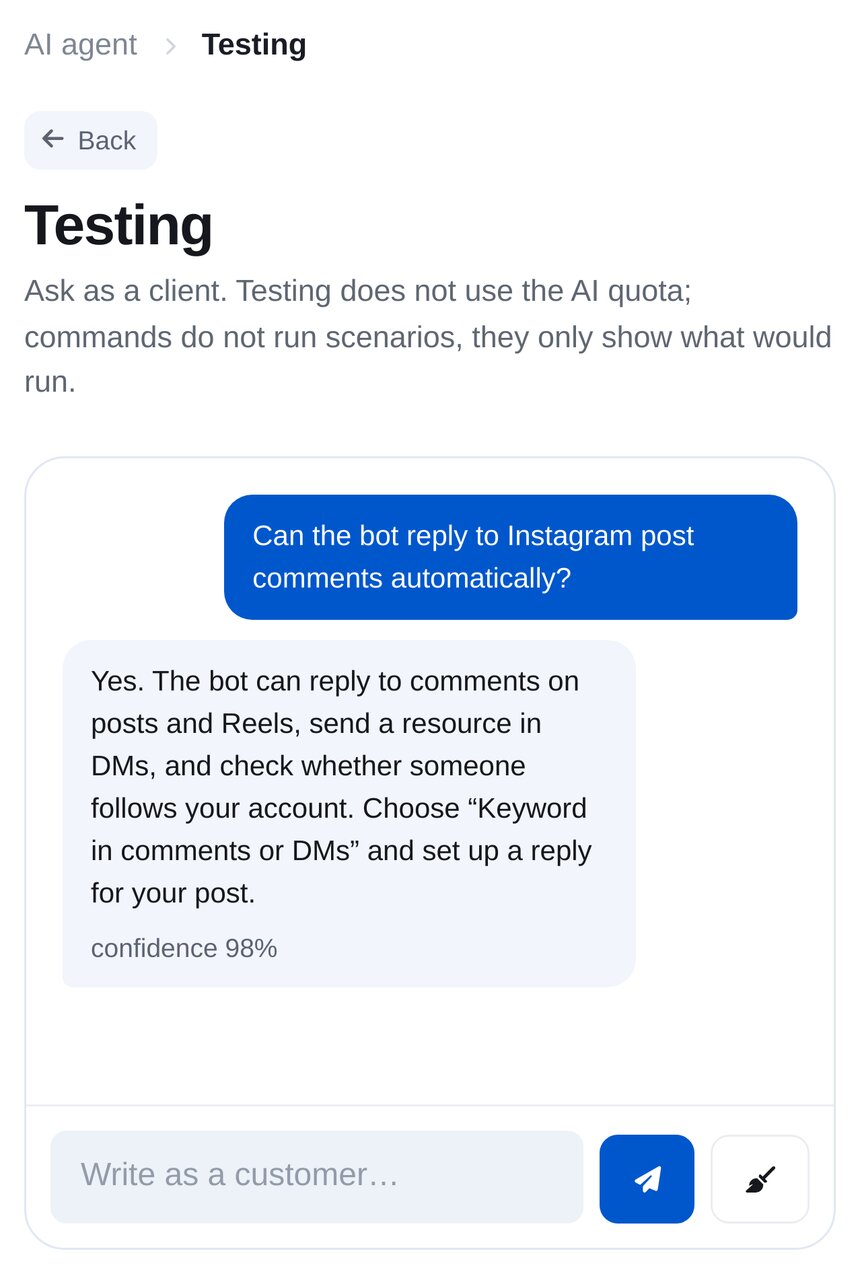
Ask a question as a customer in “Testing”, without using your AI reply allowance. Choose where to reply, then click “Start”.
How much does an AI agent cost?
The AI agent is available only on Premium. There’s no separate AI subscription.
- 500AI replies a month
- 0,03 €per reply above your allowance
- ×2 and ×3usage on the Strong and Smart models
- 3 daysfree, no card required, with 30 AI replies
The Fast model uses one AI reply for each customer reply. Processing training materials also uses AI replies, roughly one per website page. Trying your agent in “Testing” doesn’t use them.