Flows with buttons in Telegram
Your bot greets users, shows a menu, runs a quiz with a reward and checks channel subscriptions. Start with a template and set it up in a couple of minutes.
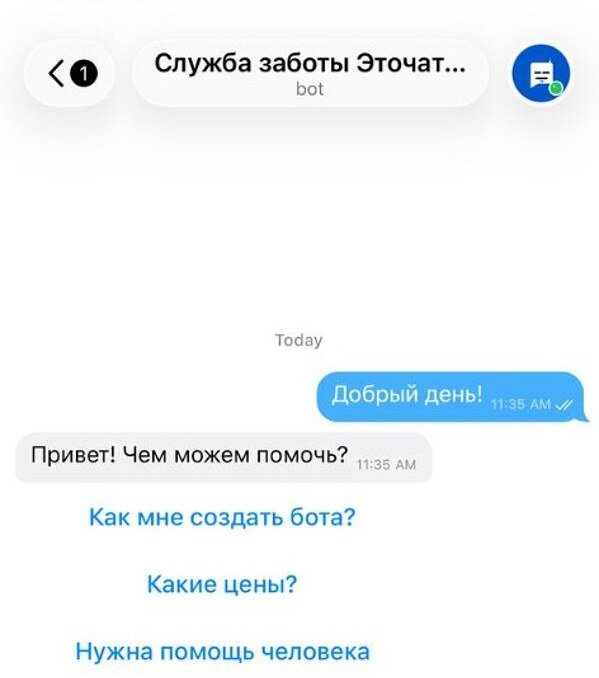
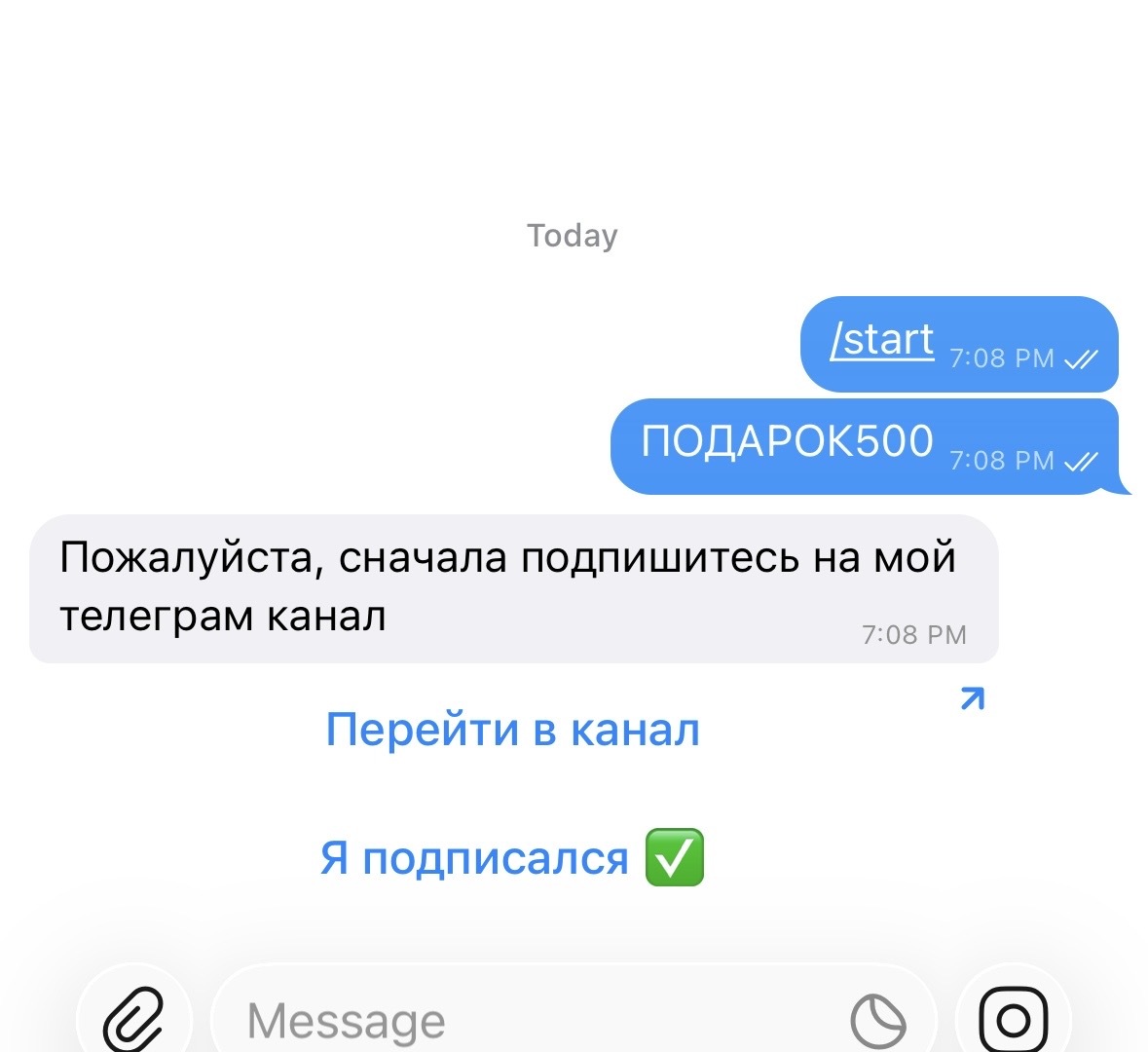
How it works
- 1
Someone messages your bot
A command, keyword or button starts the flow.
- 2
The bot replies step by step
Messages, buttons, conditions and delays.
- 3
Complex questions go to your team
The conversation joins the shared inbox alongside your other platforms.
How to create a Telegram bot with buttons
In your dashboard:AutomationNew scenarioUse a template
-
1
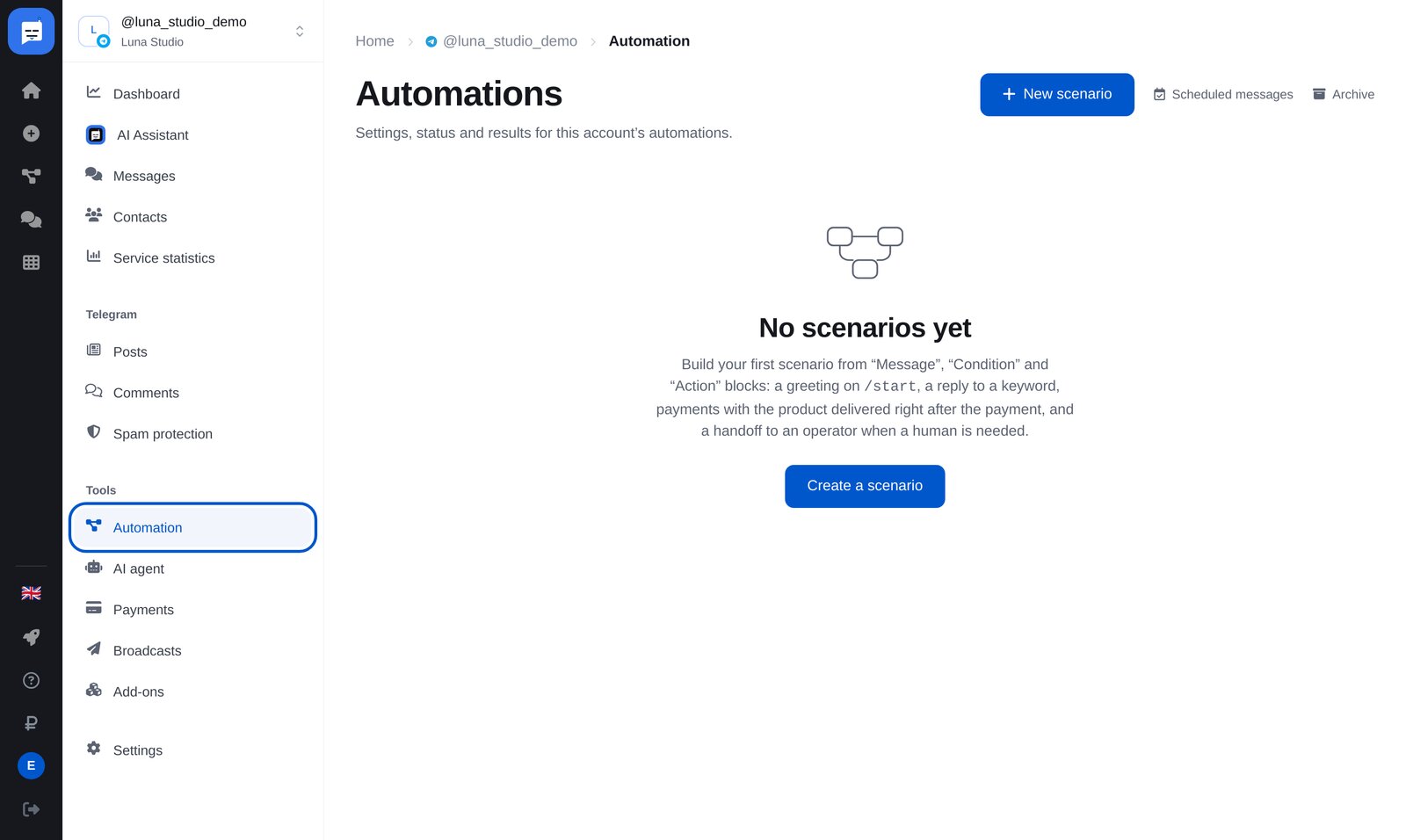
Open “Automation”
In your bot’s left menu, open “Automation”, then click the blue “New scenario” button at the top right.
-
2
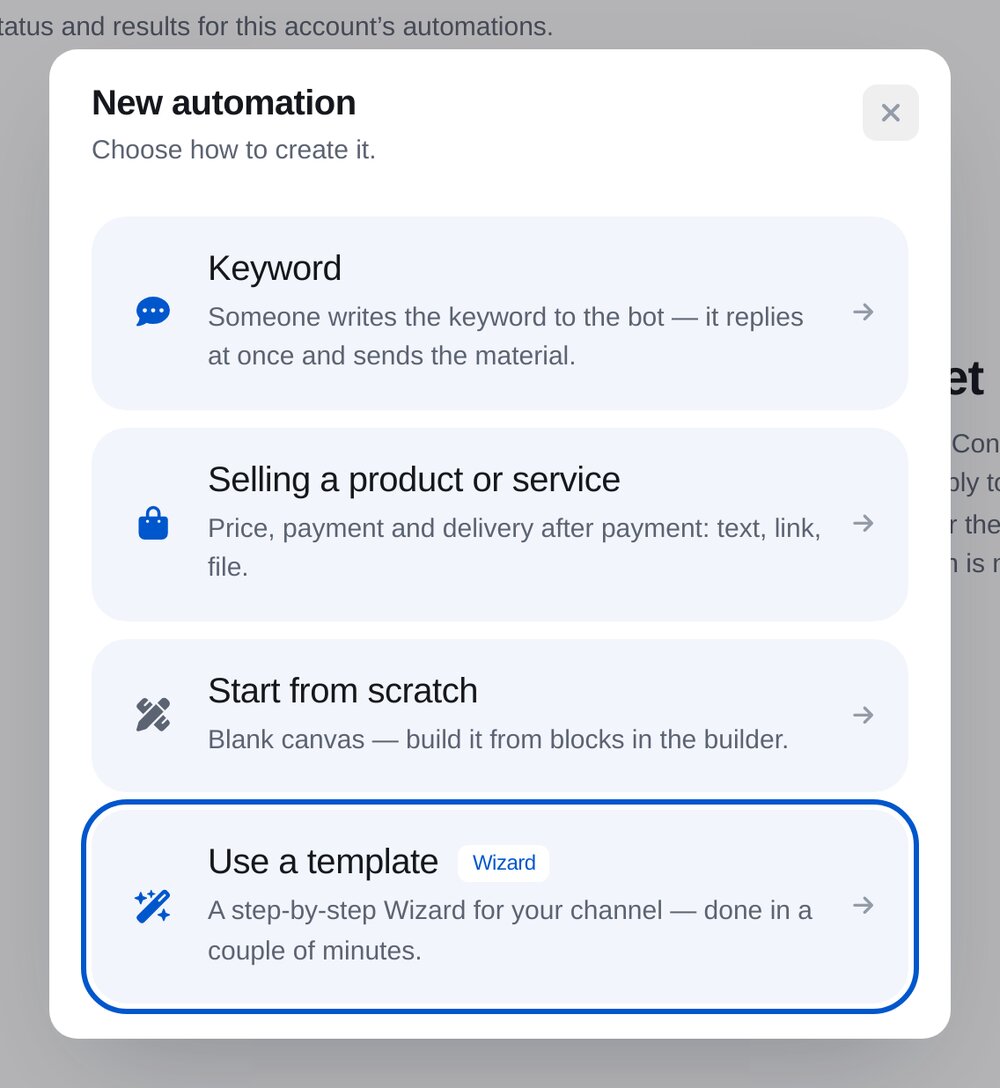
Click “Use a template”
Set up the template step by step. “Start from scratch” opens an empty builder.
-
3
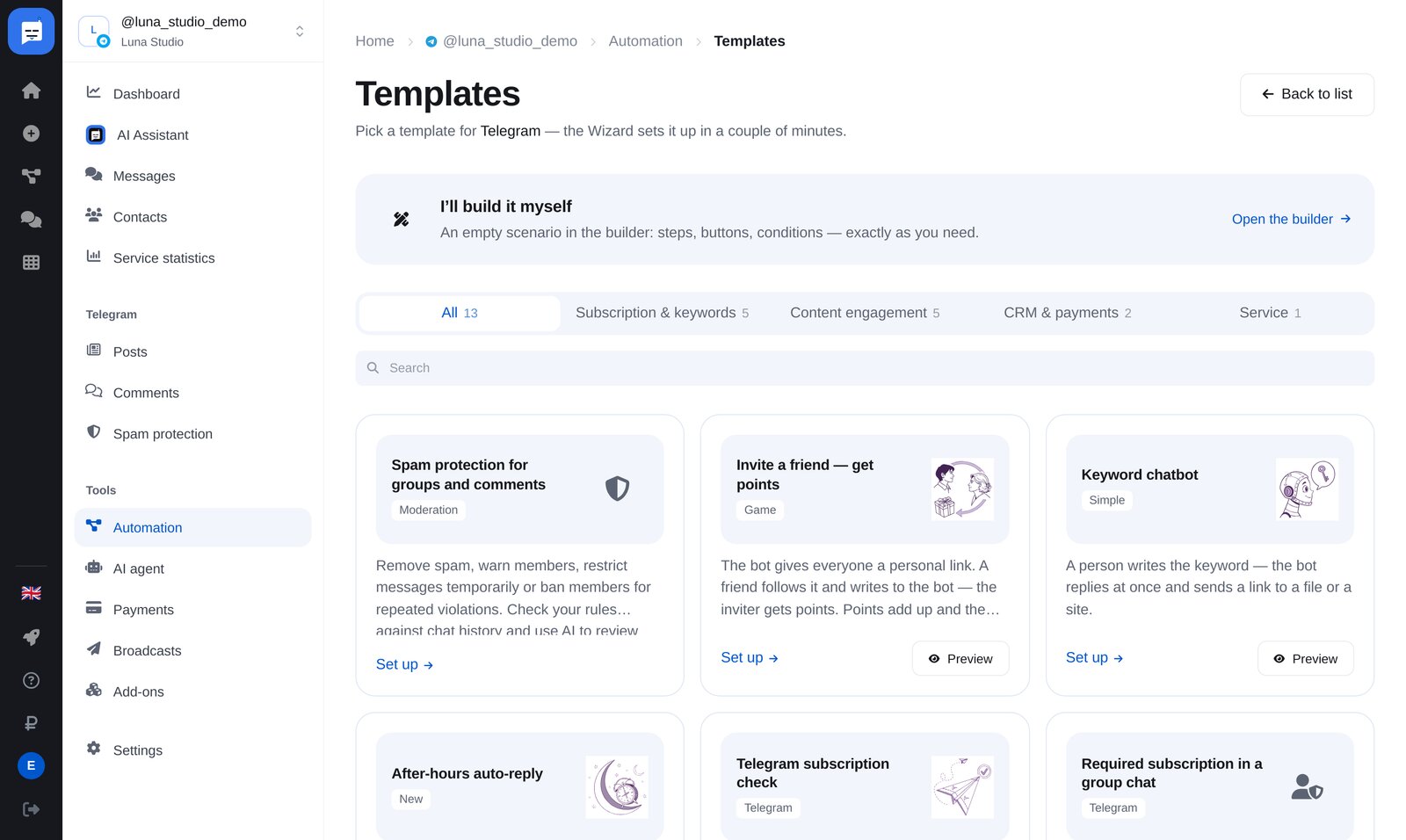
Choose a template
Twelve ready-made flows: keywords, after-hours replies, subscription checks, data collection, quizzes with rewards, sales and more. For example, “Gifts for correct quiz answers”.
-
4
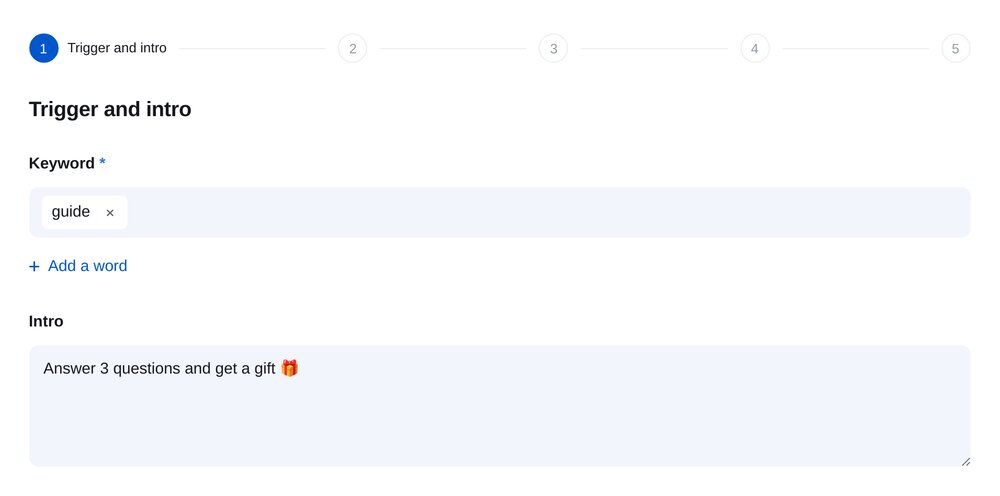
Choose what starts it
Choose the keyword that starts the quiz and write its introduction.
-
5
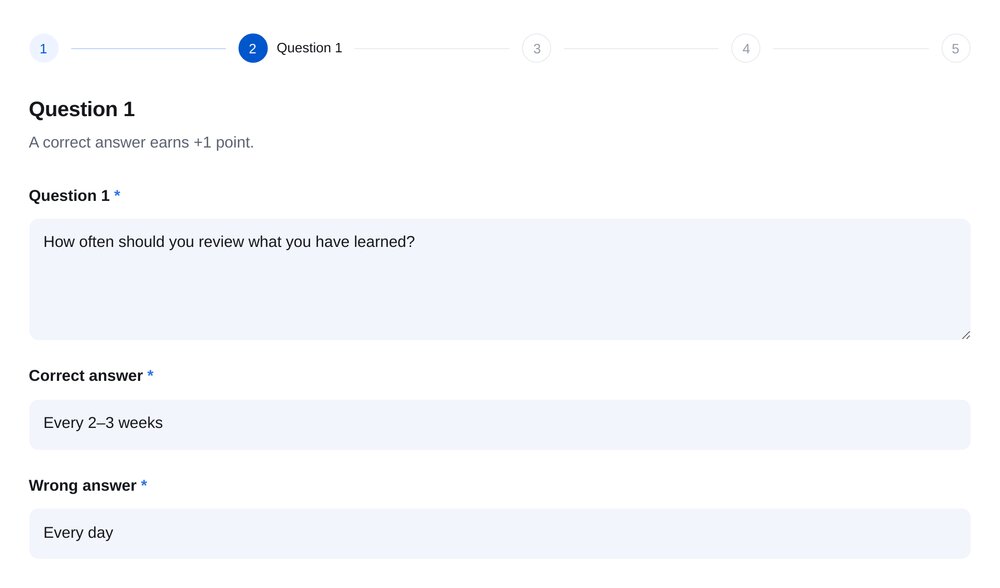
Questions with buttons
Three questions, each with two answer buttons. Correct answers earn a point. Set the score needed to win and add promo codes: each winner gets their own.
-
6
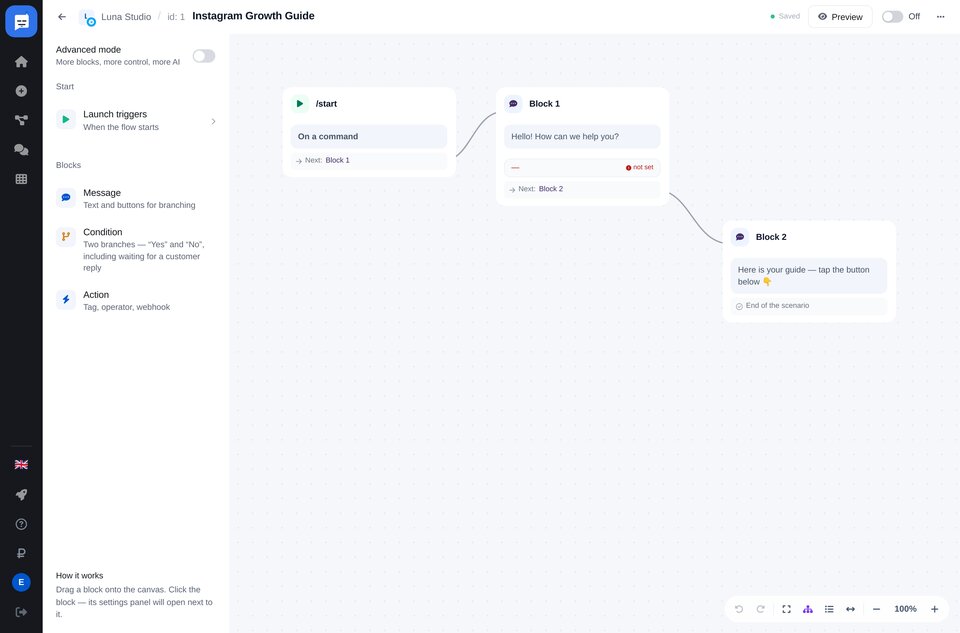
Refine it in the builder
Drag and drop messages, buttons, conditions and connections to build your Telegram flow.
-
7
Turn it on
The flow starts replying immediately. Test it from a second Telegram account.


FAQs
What types of buttons can a bot have?
Do I need to code?
Can I send broadcasts with buttons?
How much is it?
More for your Telegram chatbot
Flows with buttons in a few minutes