A submissions bot for Telegram
Subscribers send your bot ads or news with photos. The bot publishes them in your channel. Useful for local classifieds, community news or noticeboards. Set it up step by step, without code.
- Photo and text — published in your channel as received
- Author details — their name and username so people can contact them
- No links — the bot rejects ads linking to websites
- One a day — or one an hour, one a week, or unlimited
How it works
- 1
A subscriber messages your bot
They tap “Start” or send the keyword “ad”.
- 2
Sends an ad
A single message with photo and text: the item, price and contact details.
- 3
The bot publishes it in your channel
Immediately, with no admin needed. It tells the author: “Done, your ad is published.”
How to create a Telegram channel submissions bot
In your dashboard:AutomationNew scenarioUse a templateAd submissions to your channel
-
1
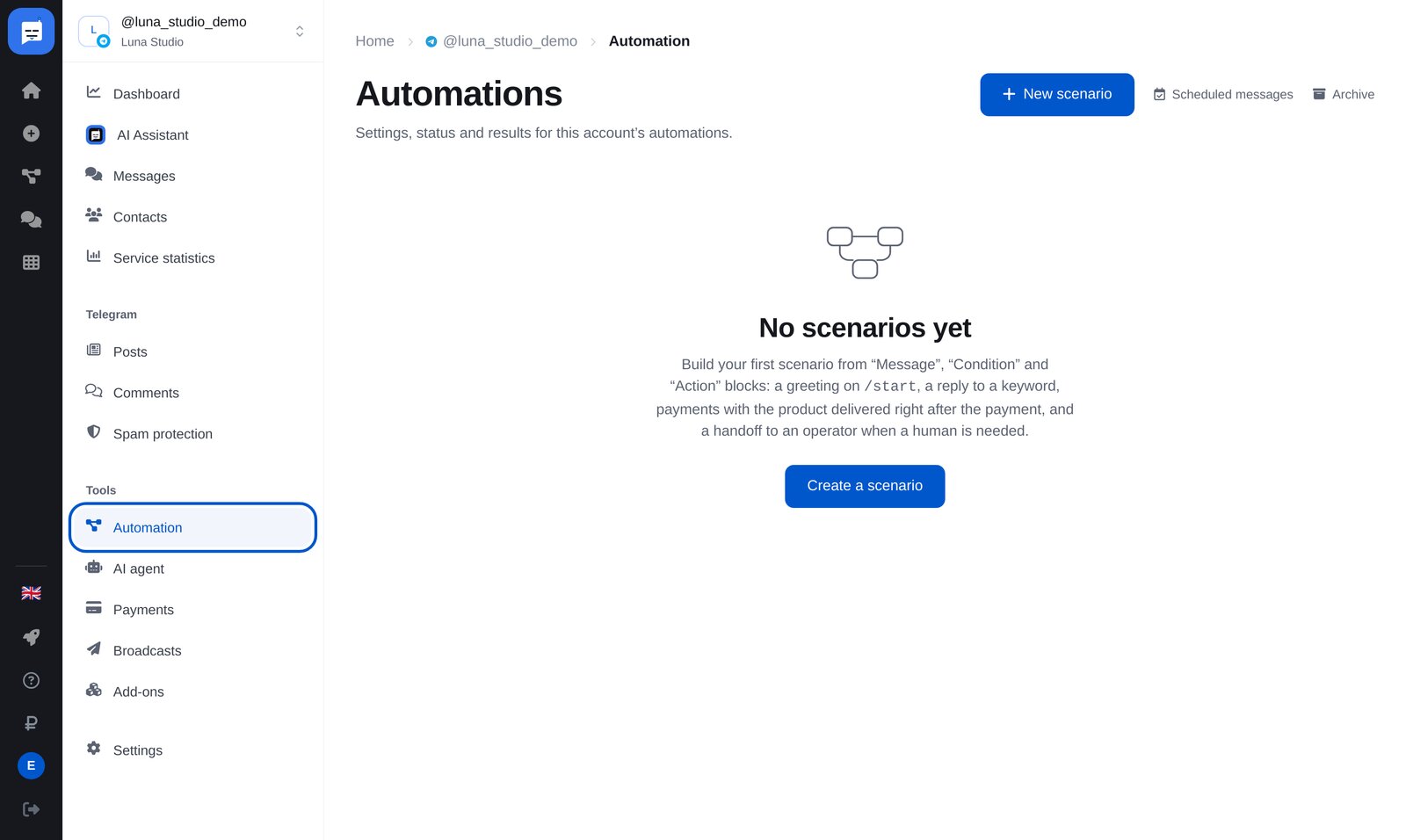
Open “Automation”
In your bot’s left menu, open “Automation”, then click the blue “New scenario” button at the top right.
-
2
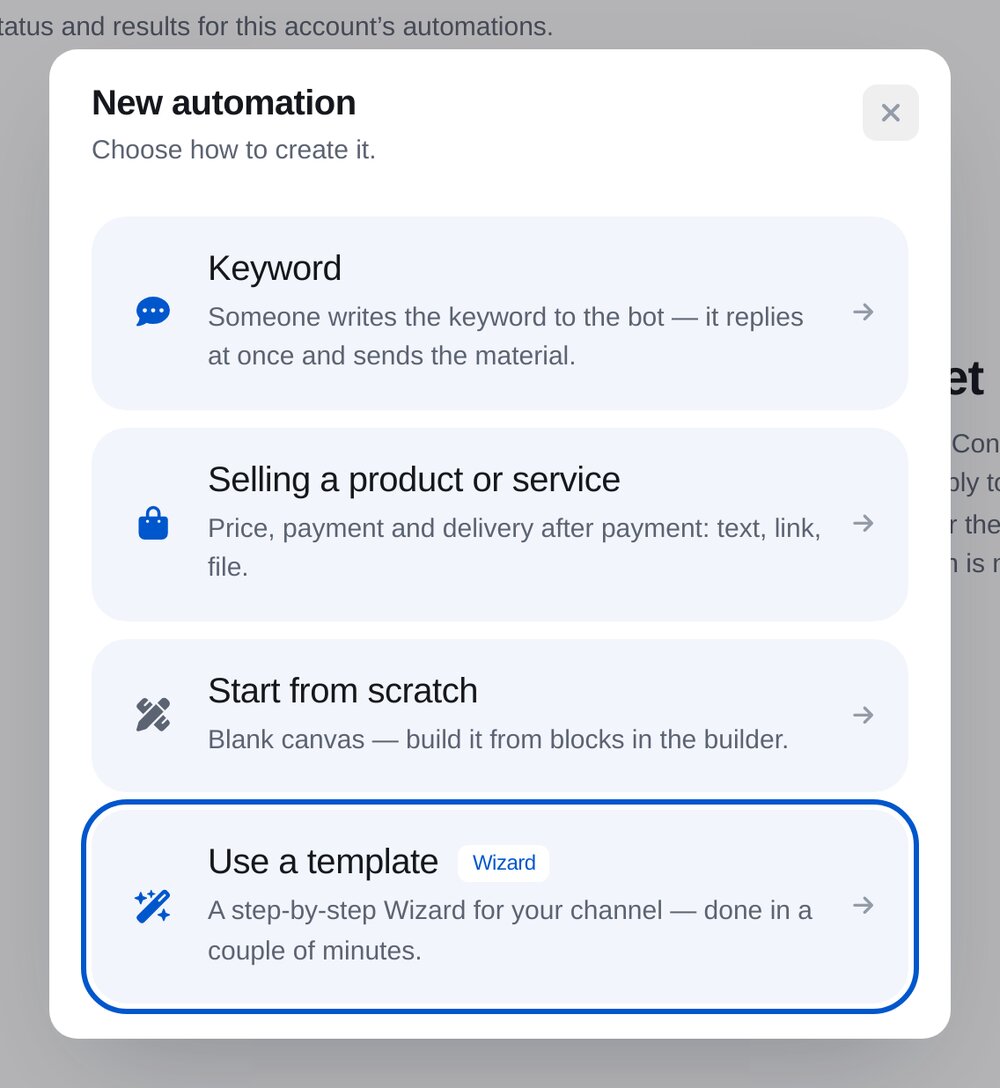
Click “Use a template”
Set up the template step by step. The wizard builds the flow for you.
-
3
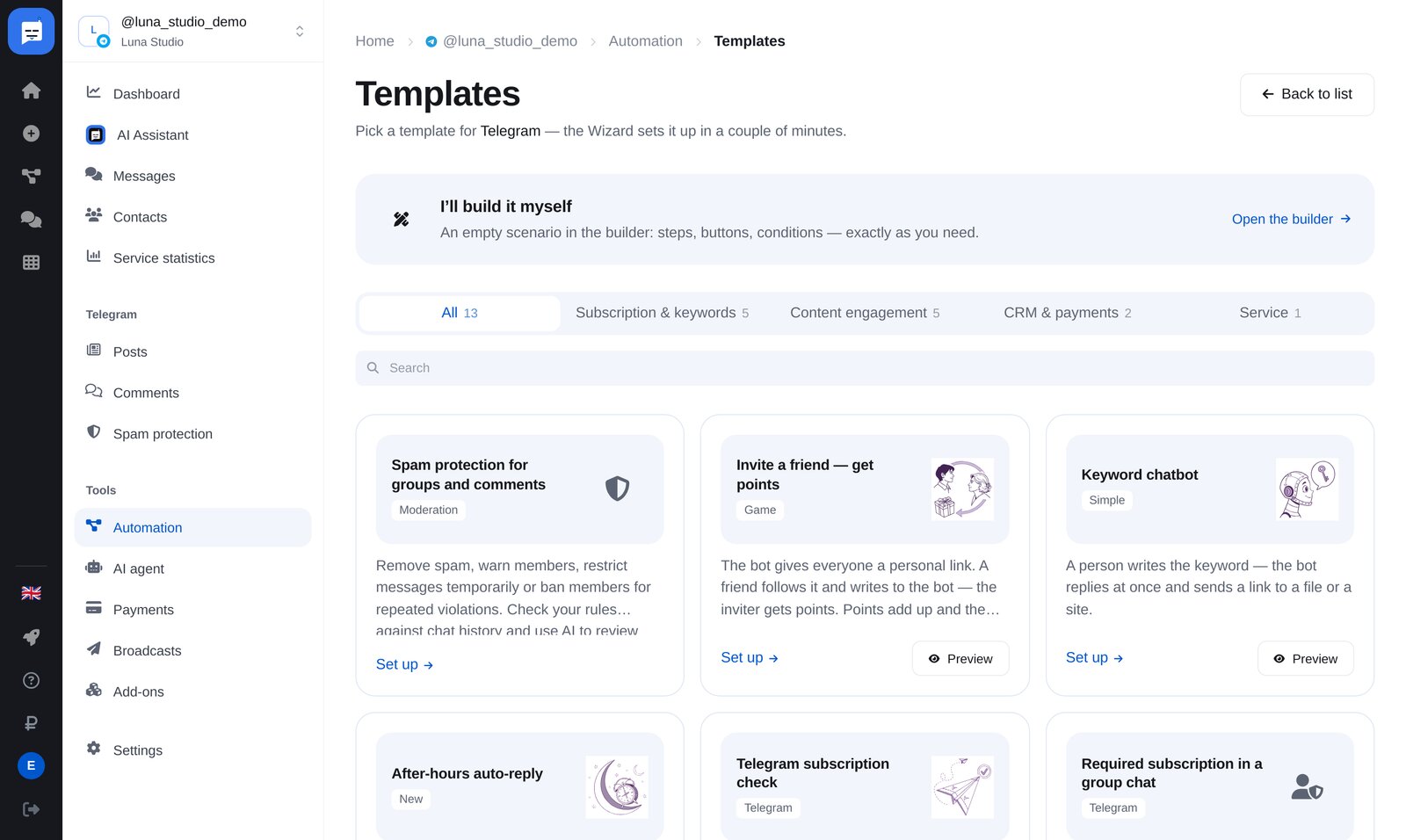
Choose “Ad submissions to your channel”
Find the template under “Content engagement”.
-
4
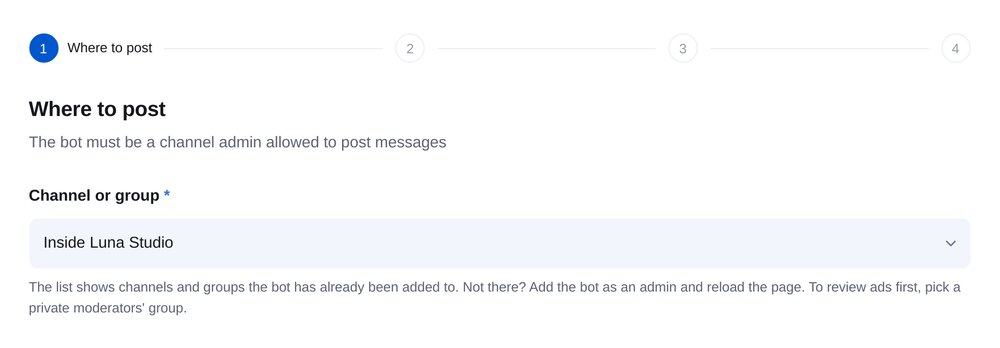
Choose a channel
The list shows channels and groups your bot has joined. The bot needs admin rights to post. To review ads first, choose a private moderators’ group.
-
5
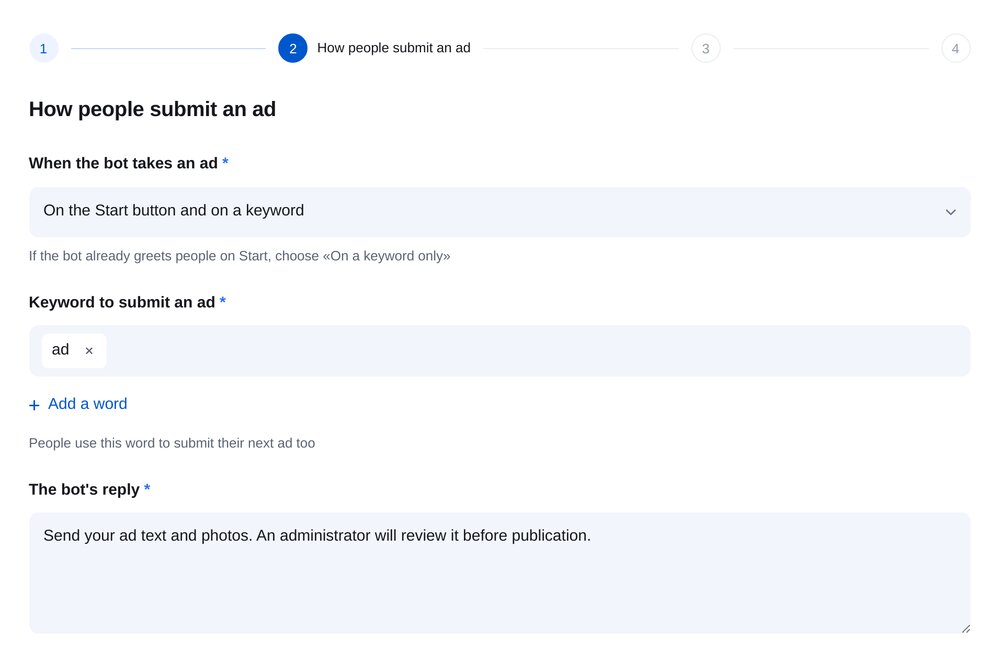
How people submit ads
Use the “Start” button and a keyword such as “ad”, which also lets the person submit another post later. Your bot’s reply explains what to send: one photo and text in a single message.
-
6
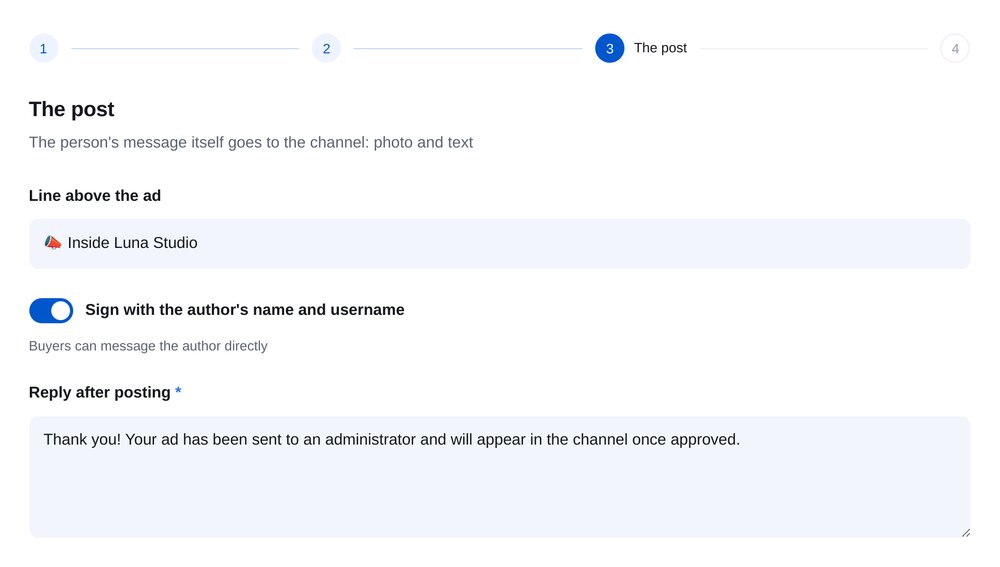
What the post looks like
A “📢 Ad” heading appears above the ad, along with the author’s name and username so buyers can contact them directly.
-
7
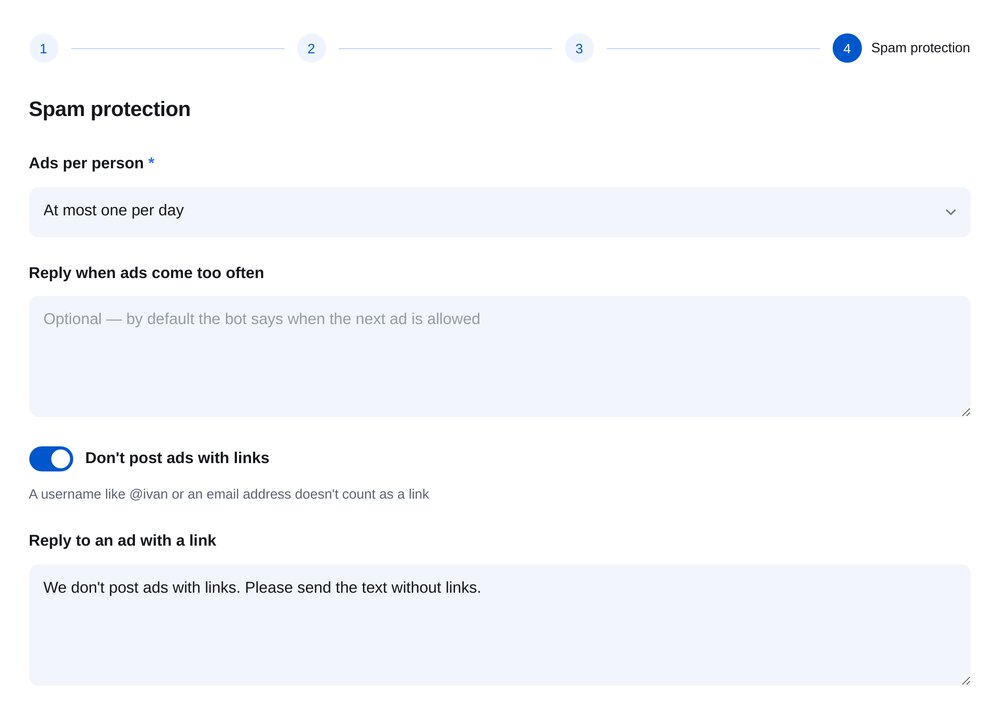
Protect your channel from spam
Limit each person to one ad per hour, day or week. Ads with links are rejected, and the bot asks the author to resend without them. Usernames and email addresses are not treated as links.


FAQs
What is a submission bot?
How do I make the bot a channel admin?
Can I review ads before publishing?
How many photos can people submit?
How much is it?
More for your Telegram chatbot
A submission bot in a few minutes