Connect your chatbot to  GetCourse
The bot creates a customer’s account in your school, adds them to groups or creates an order for a product. It needs their email—the bot asks for it in the flow.

How it works
- 1
The customer shares their email
On Telegram, Instagram or your website—the bot asks for it in the flow.
- 2
The bot sends their details to GetCourse
As a school user, added to groups or with a product order.
- 3
Your school works with the student
Broadcasts, lesson access and payments are handled in GetCourse.
How to connect GetCourse to your chatbot
In your dashboard:Add-onsIntegrationsGetCourse
-
1
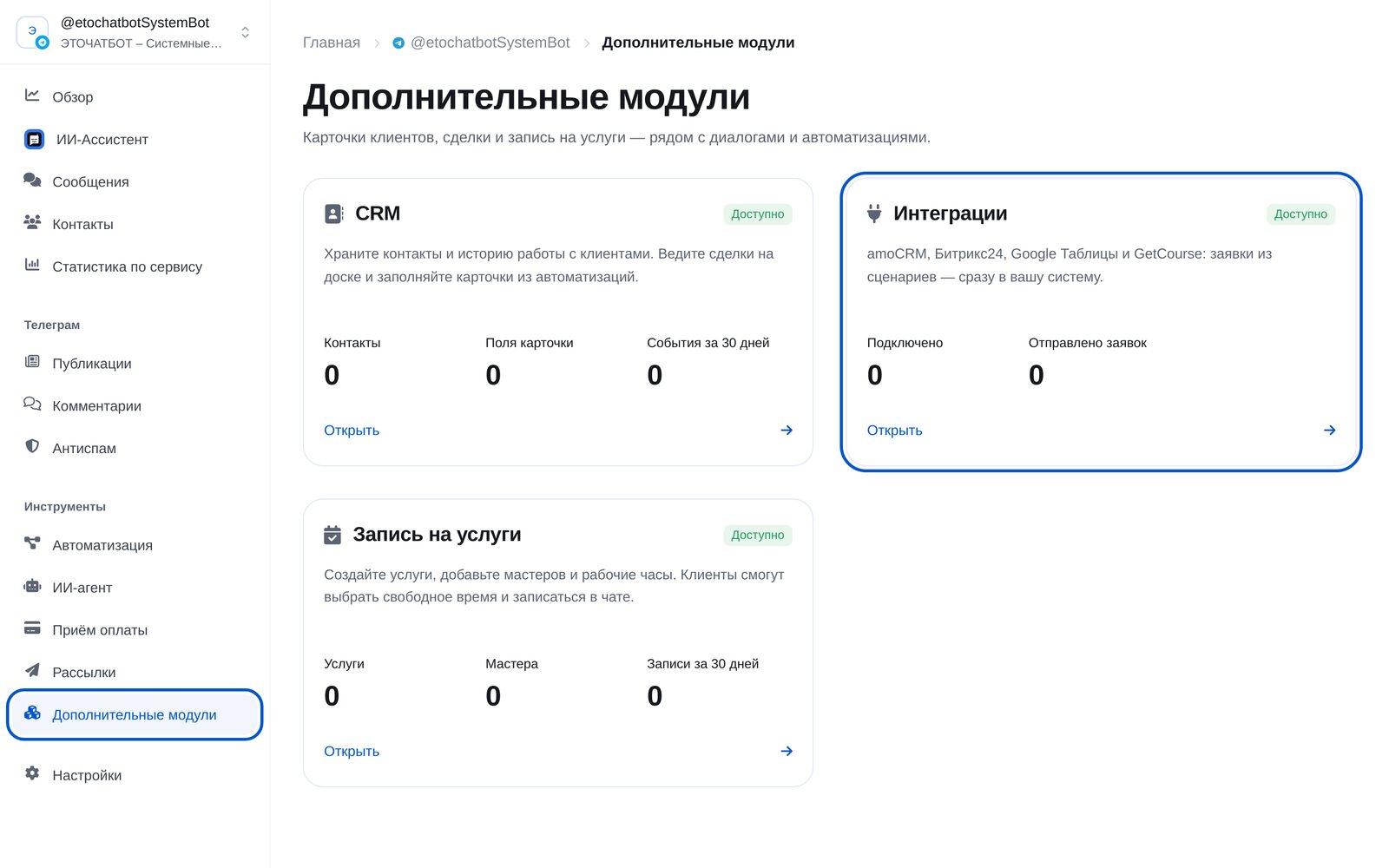
Open “Add-ons” → “Integrations”
In the bot menu, open “Add-ons” and choose “Integrations”. You’ll find four services: amoCRM, Bitrix24, Google Sheets and GetCourse.
-
2
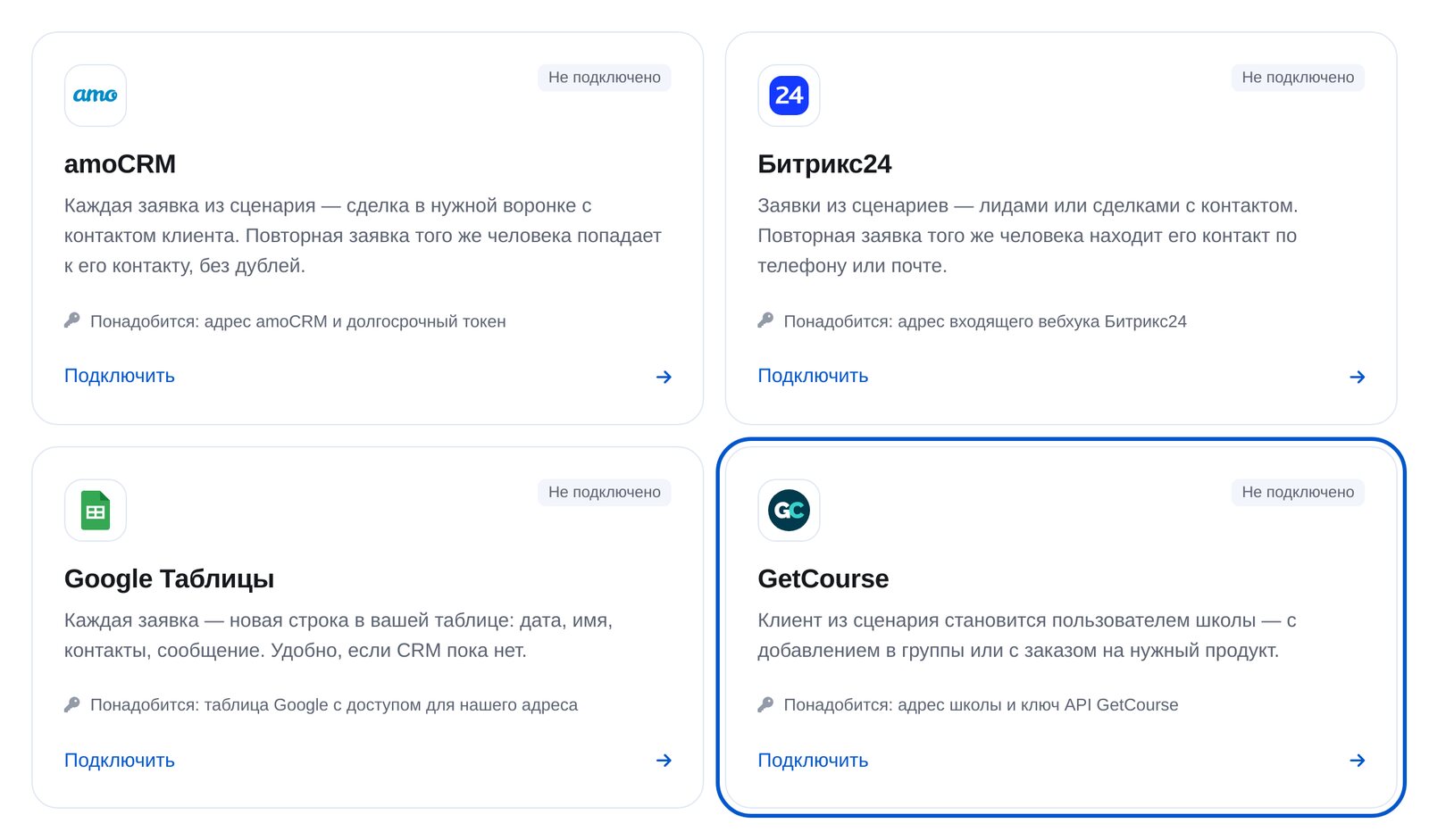
Choose GetCourse
Open the “GetCourse” card. You’ll need your school’s address and an API key.
-
3
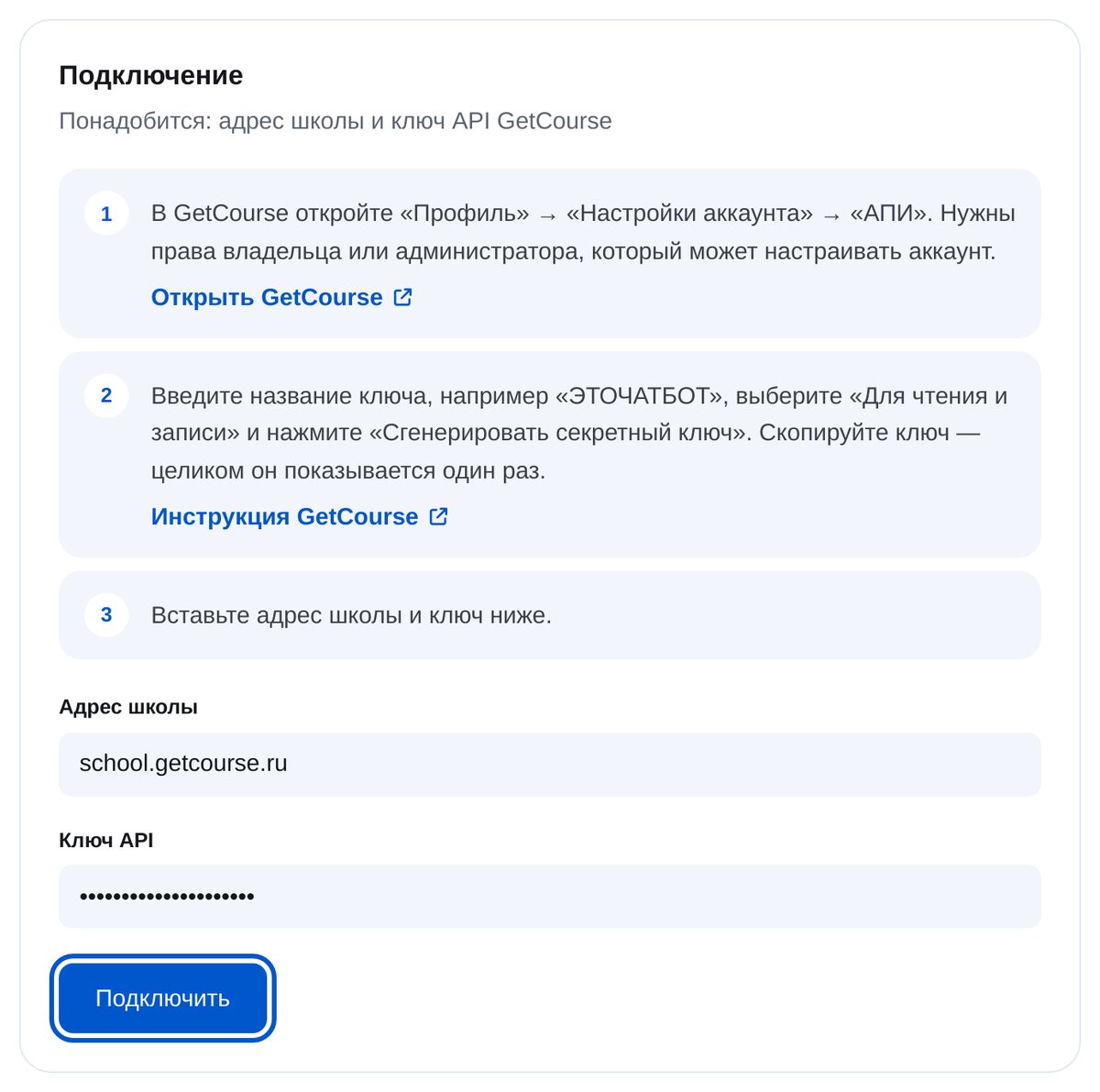
Paste your school’s address and API key
In GetCourse, open “Профиль” (Profile) → “Настройки аккаунта” (Account settings) → “АПИ” (API). Choose “Для чтения и записи” (Read and write) and click “Сгенерировать секретный ключ” (Generate secret key). The full key is shown only once.
-
4
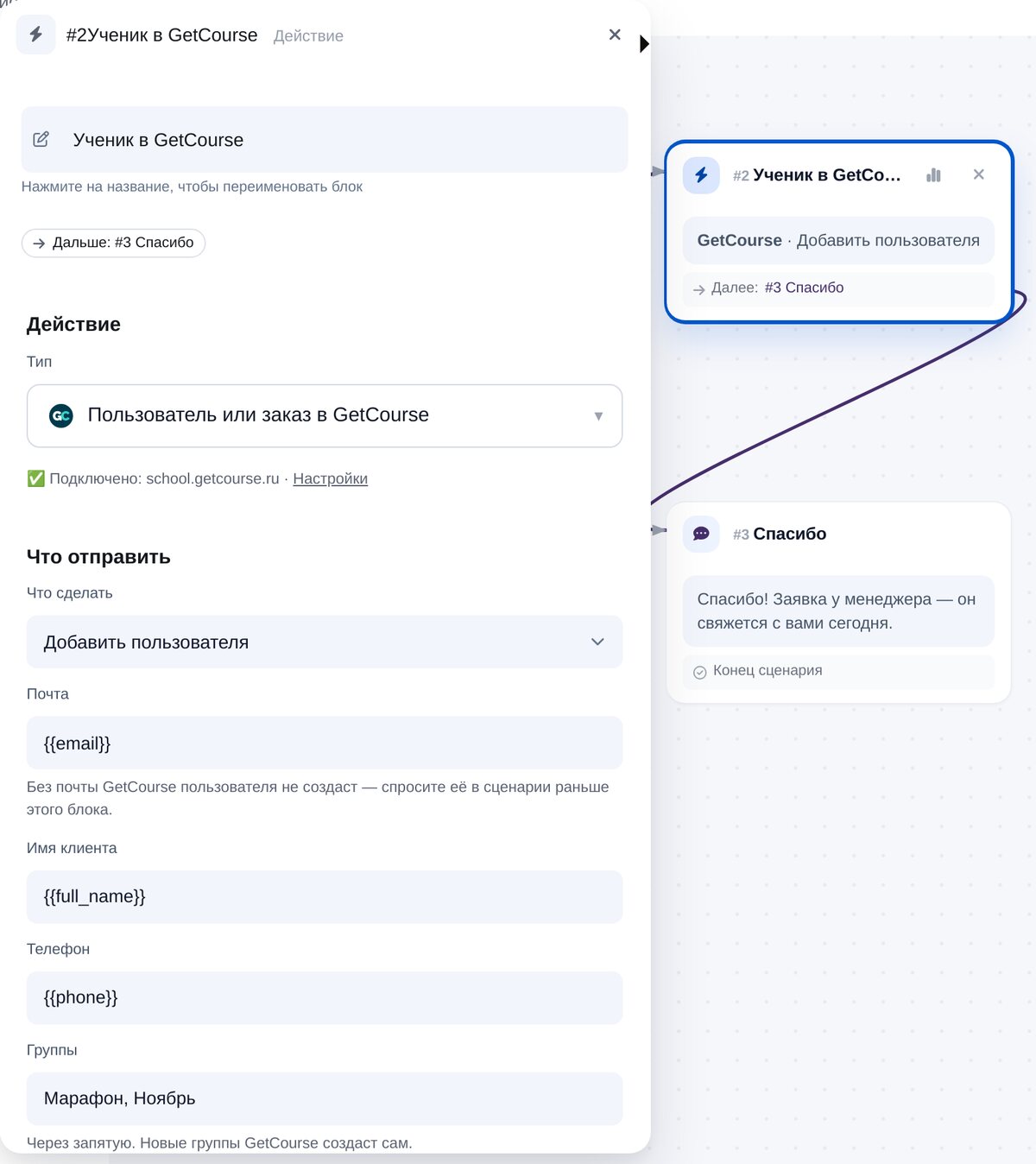
Add the “User or order in GetCourse” block
Choose “Add a user” or “Create an order”. Email, name and phone are already filled with variables. Separate group names with commas; GetCourse creates new groups automatically. For an order, enter an offer code or product name.
-
5
Check the connection
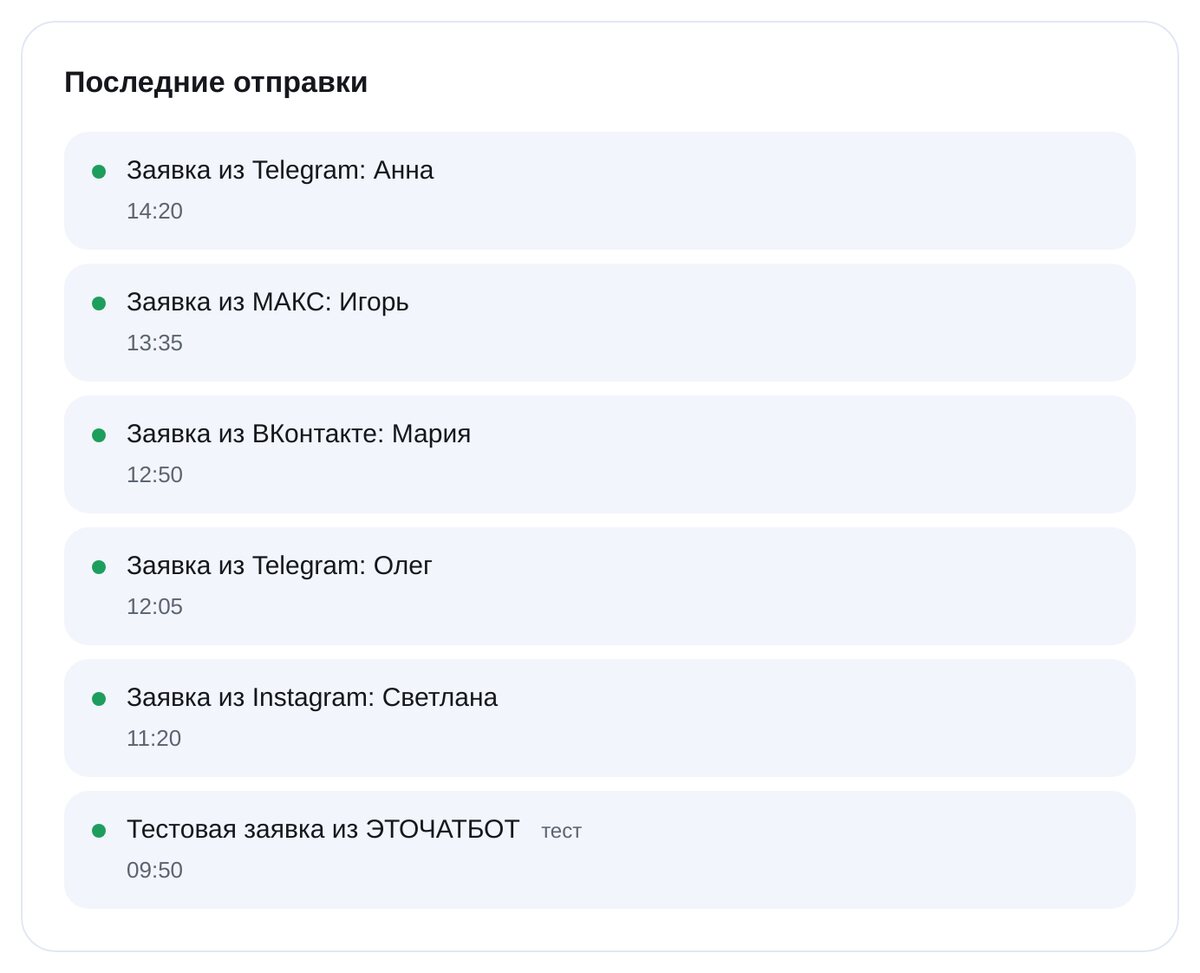
“Check the key” confirms the school connection is working. “Recent sends” shows every request, when it was sent and whether it reached GetCourse.


FAQs
Why do I need the customer’s email?
How do I add a student to a group?
How do I create an order?
What do I need to connect?
What if GetCourse doesn’t respond?
How much is it?
Connect GetCourse in a couple of minutes