Accept payments with  Robokassa
The bot sends an invoice with a “Pay” button and delivers the product after payment. Robokassa supports sole traders, companies and self-employed people in Russia. For self-employed people, Robocheki SMZ issues receipts in “Мой налог” (Russia’s My Tax app).

How it works
- 1
The bot sends an invoice
A “Pay” button right in the conversation.
- 2
Your customer pays
On Robokassa’s checkout page, by card, Russia’s Faster Payments System (SBP) or another supported method.
- 3
The bot delivers the product
Automatically, as soon as Robokassa confirms payment.
Connect Robokassa to your chatbot
In your dashboard:PaymentsConnectionRobokassa
-
1
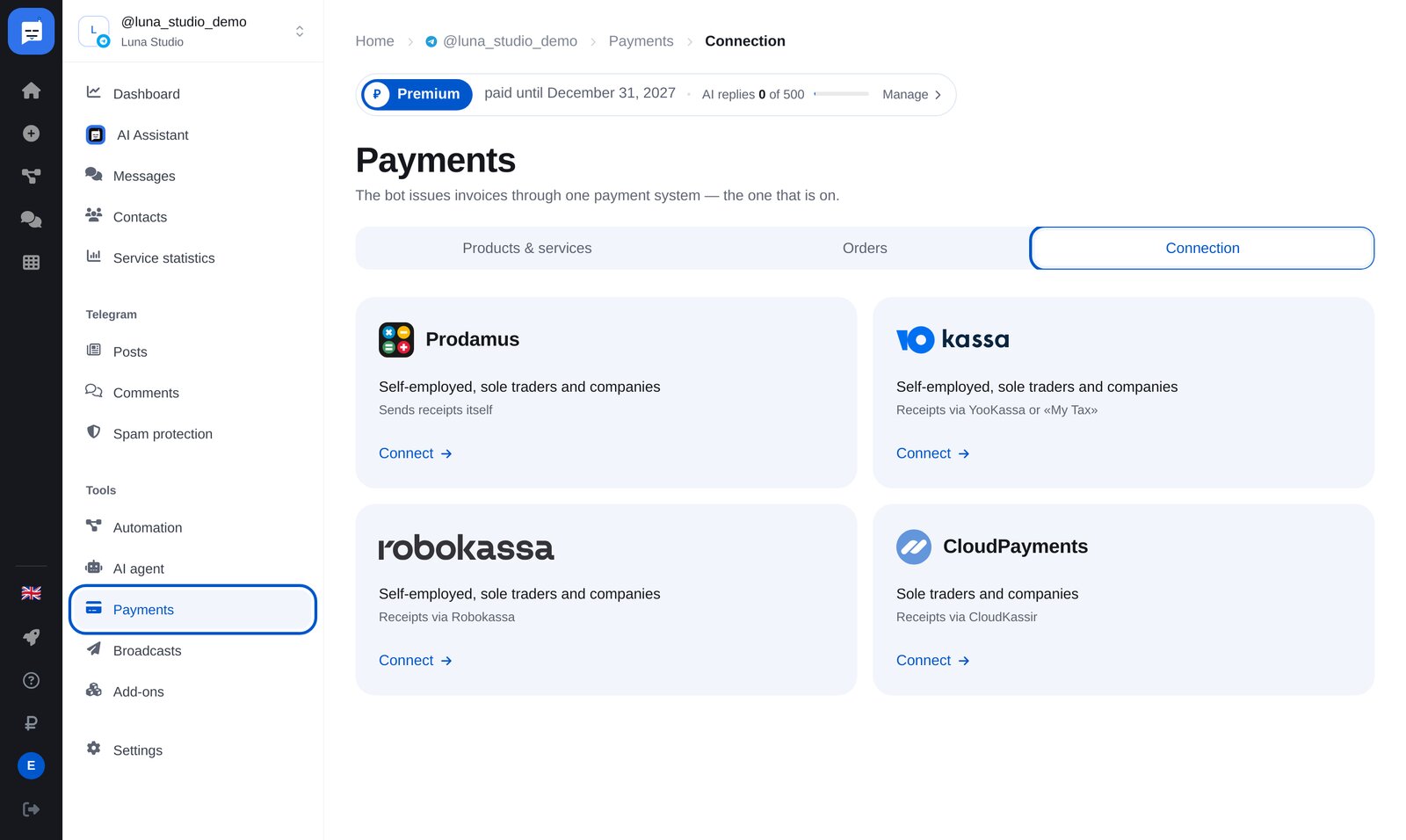
Open “Payments” → “Connection”
Open “Payments” → “Connection” in your bot’s menu. There are four providers; the one that is enabled takes payments.
-
2
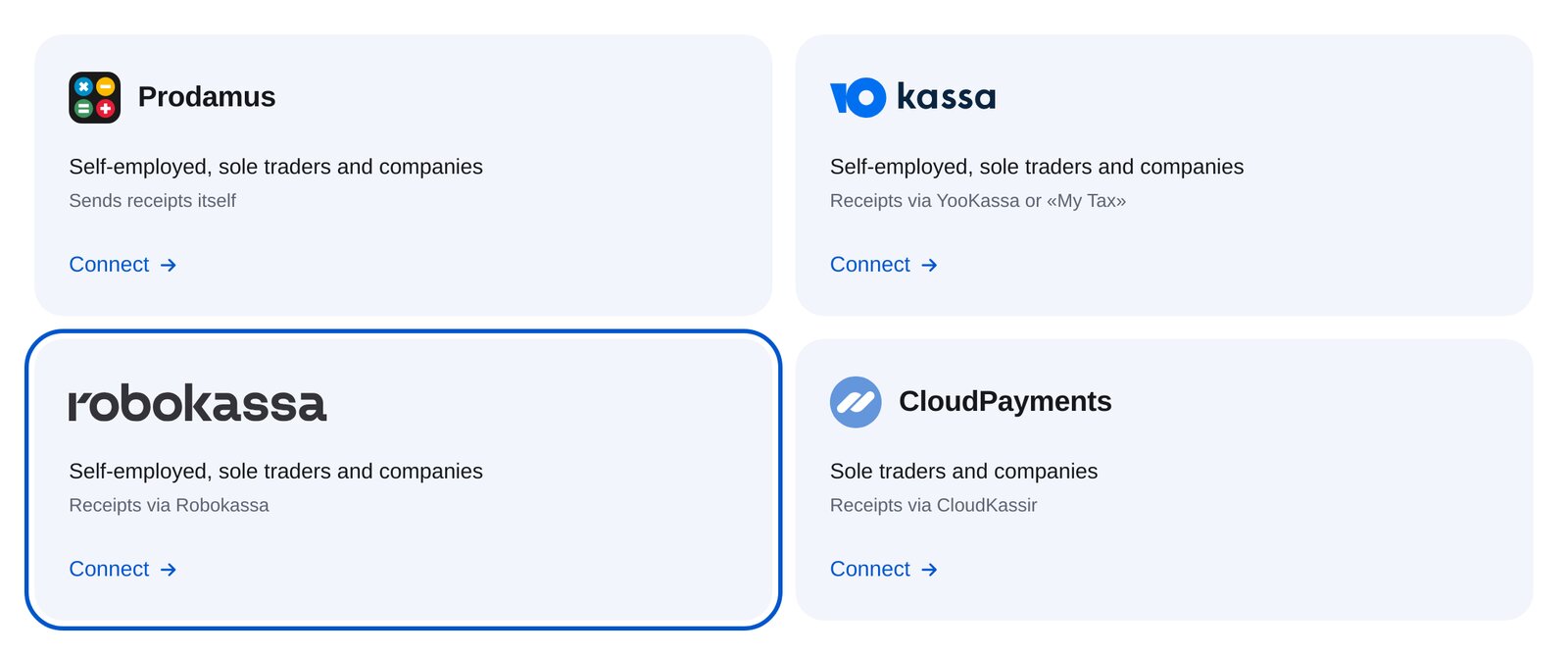
Choose Robokassa
Choose the Robokassa card. It supports self-employed people, sole traders and companies in Russia. Payments are in RUB.
-
3
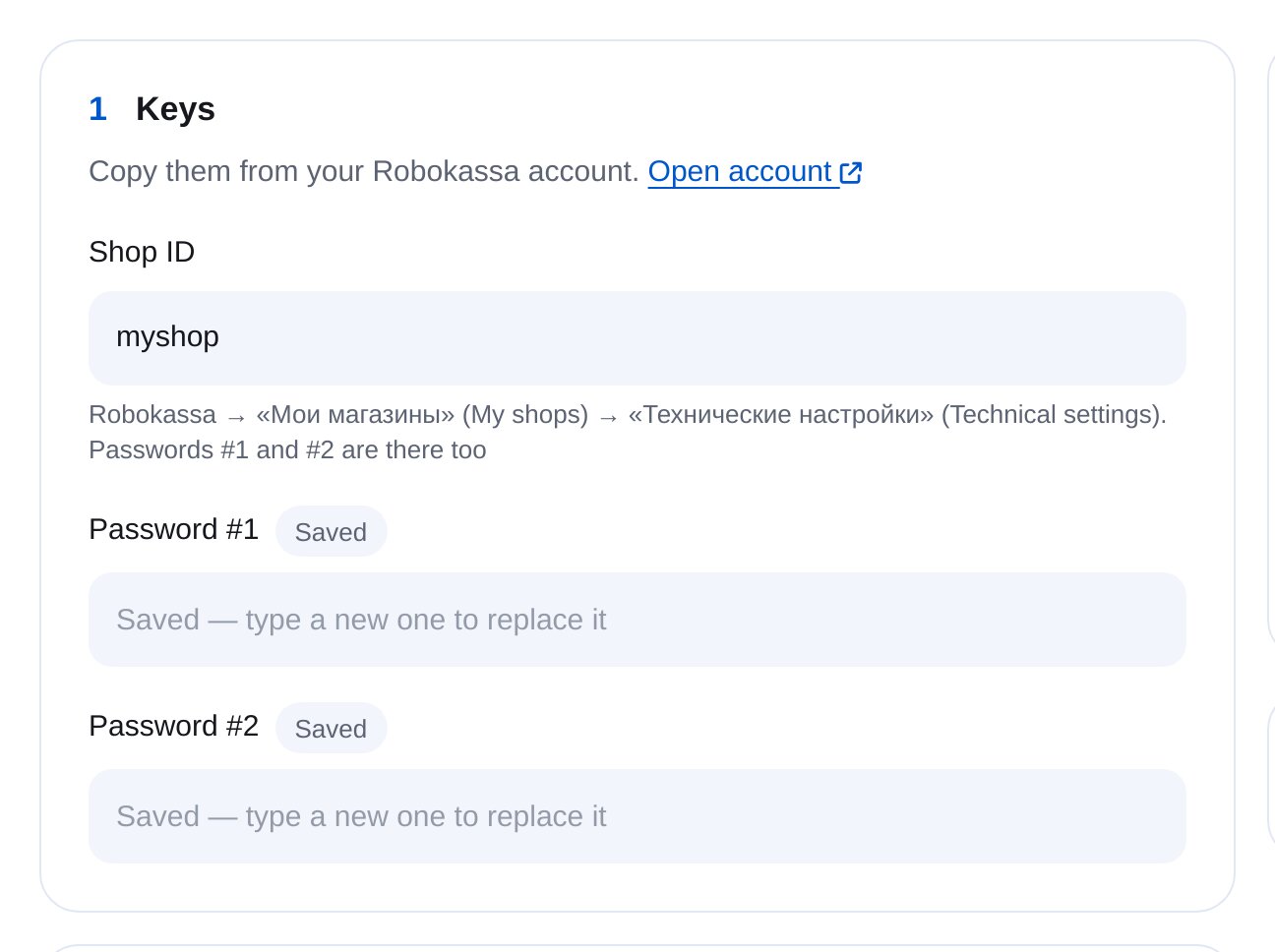
Enter your shop ID and passwords
In your Robokassa account, open “Мои магазины” → “Технические настройки” (My shops → Technical settings) to find your shop ID and passwords #1 and #2.
-
4
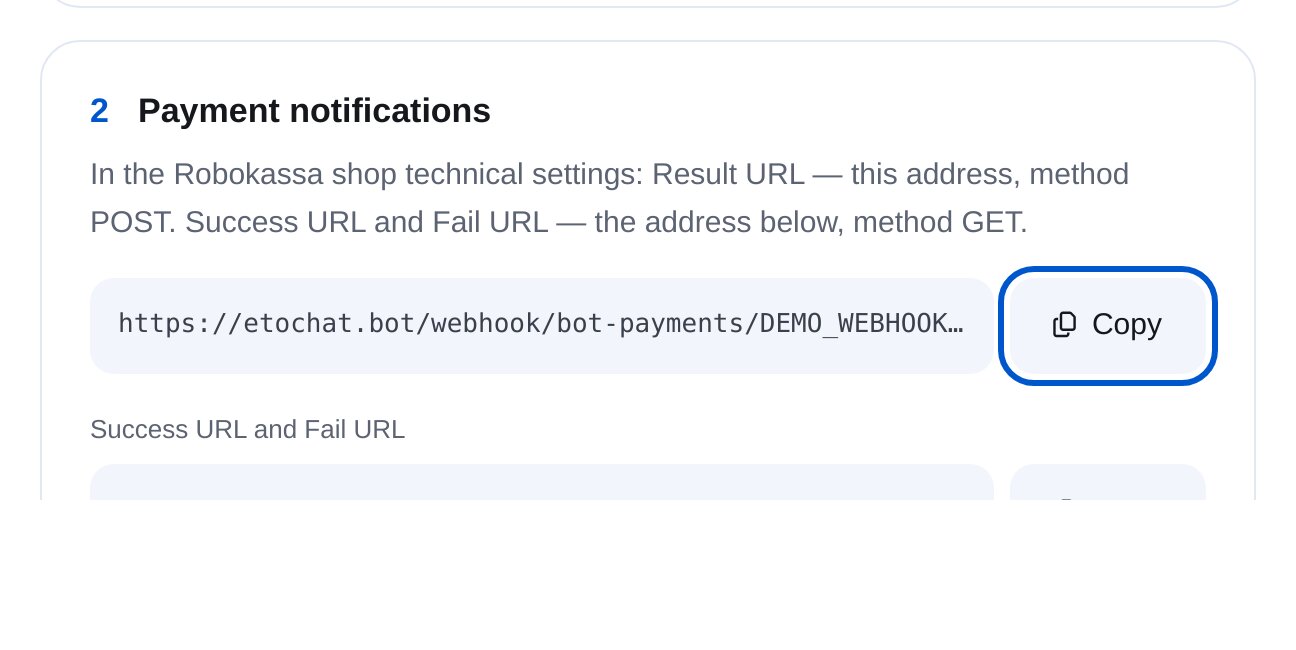
Set the notification and redirect addresses
In your shop’s technical settings, set Result URL to the first address with method POST. Set Success URL and Fail URL to the second address with method GET.
-
5
Test the connection, then enable payments
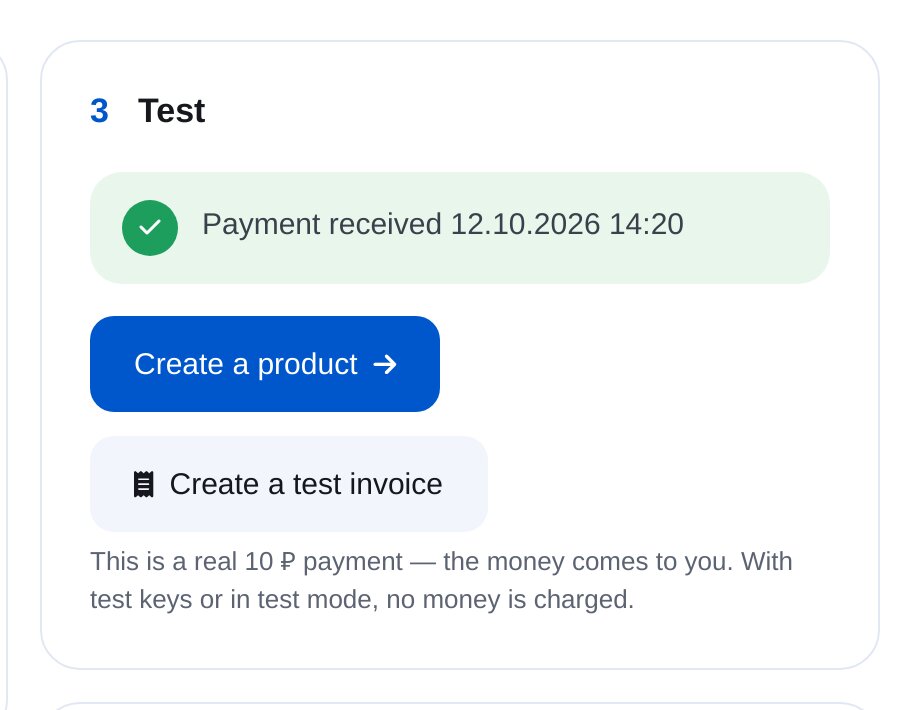
“Create a test invoice” opens checkout for 10 RUB. When the provider sends a notification, you’ll see “Payment received”. Then turn on “Accepting payments” at the top of the page.
-
6
Test mode, signatures and receipts, if needed
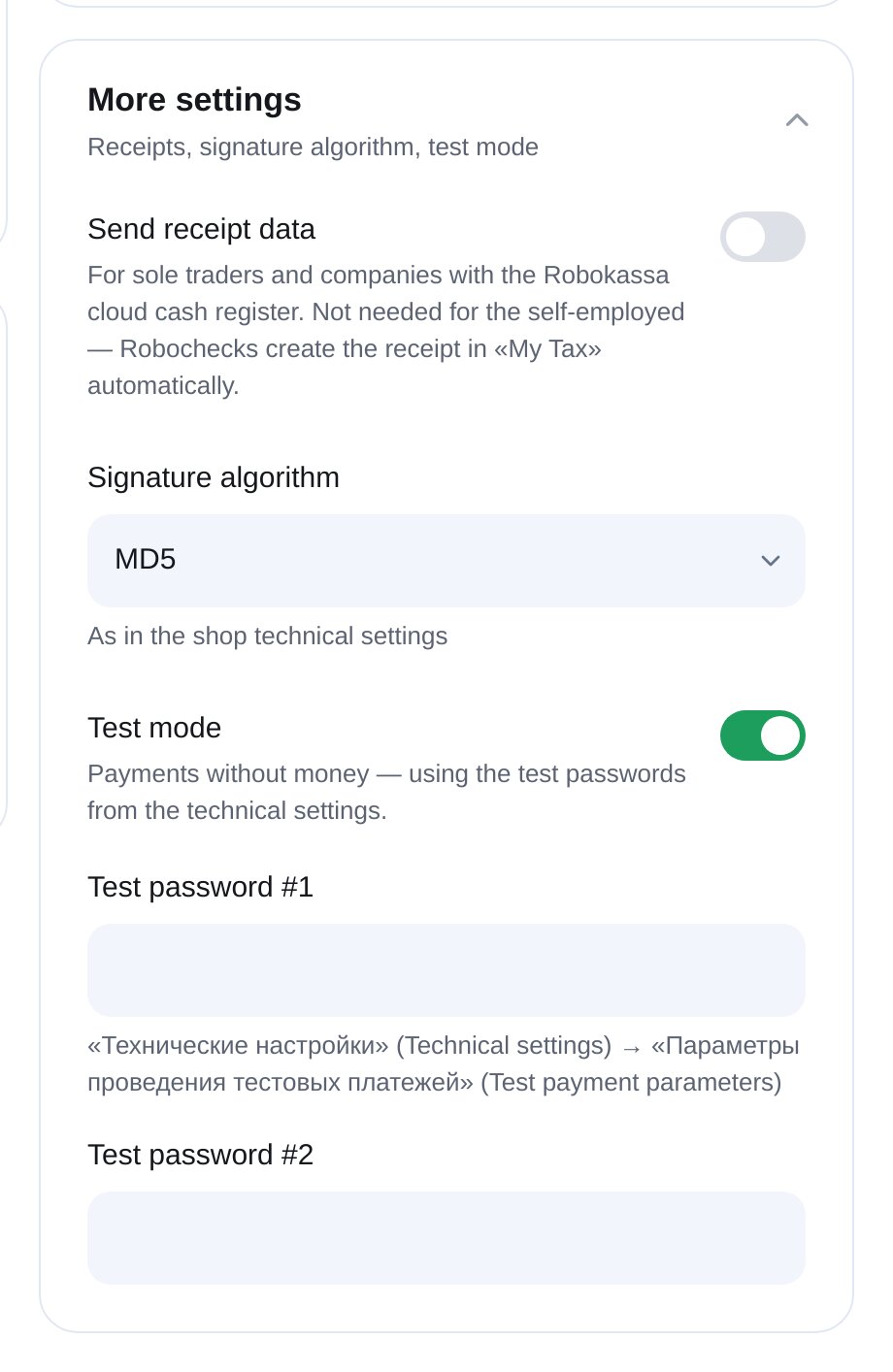
Under “More settings”, enable test mode with test passwords from your shop’s technical settings. Match the shop’s signature algorithm, usually MD5. Add receipt data if you use a cloud cash register.
-
7
Add a product
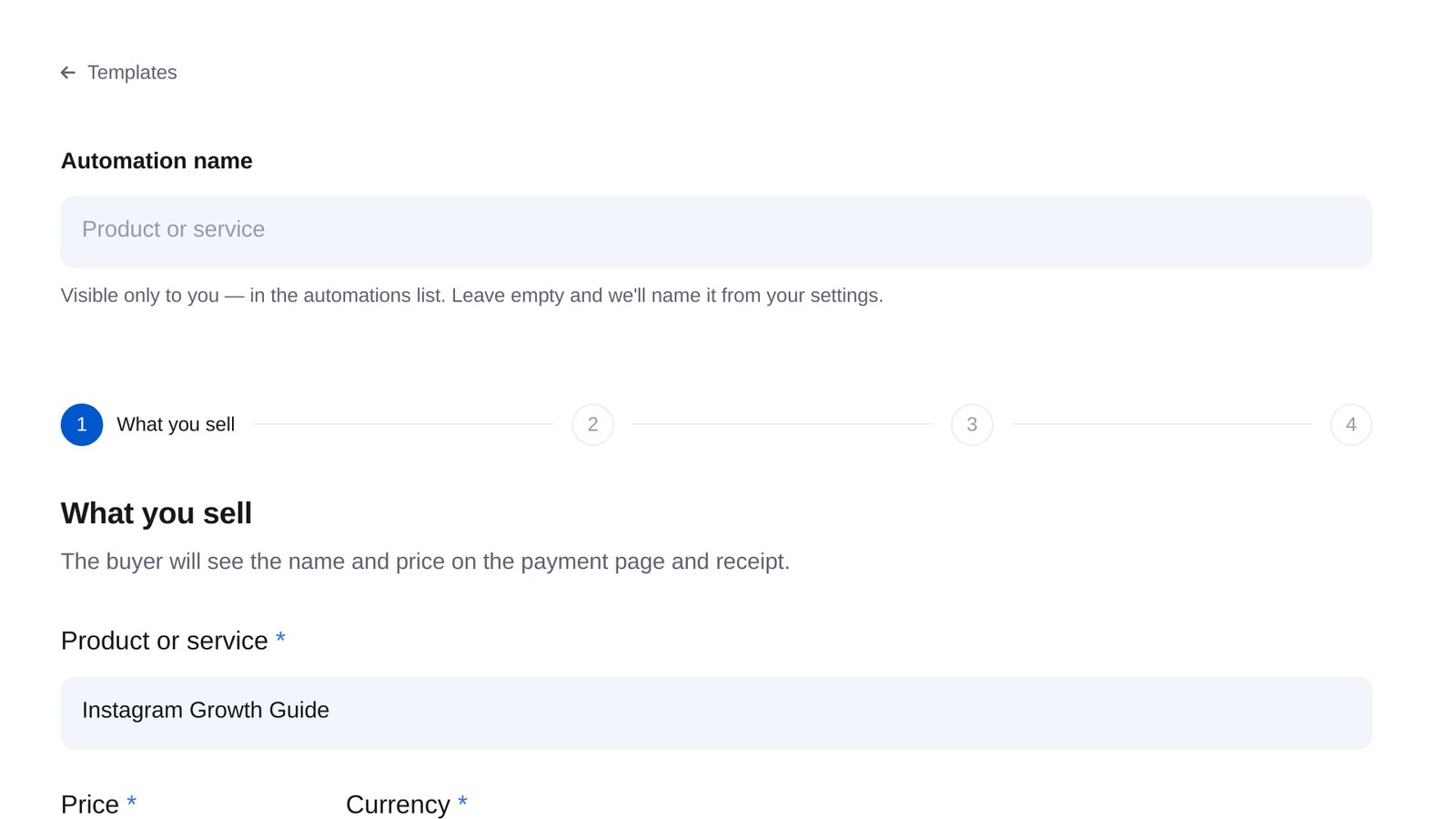
Open “Products & services” → “New sale” to set the name, price and delivery after payment. Sell through a keyword or a “Send invoice” block in any flow.


FAQs
Can self-employed people use Robokassa?
Where do I find my shop ID and passwords?
Robokassa says “invalid signature”. What should I do?
Can I accept dollars or euros?
My website uses the same Robokassa account. Could the orders get mixed up?
Which messaging platforms does it work with?
How much is it?
Other payment providers
Set up Robokassa in minutes